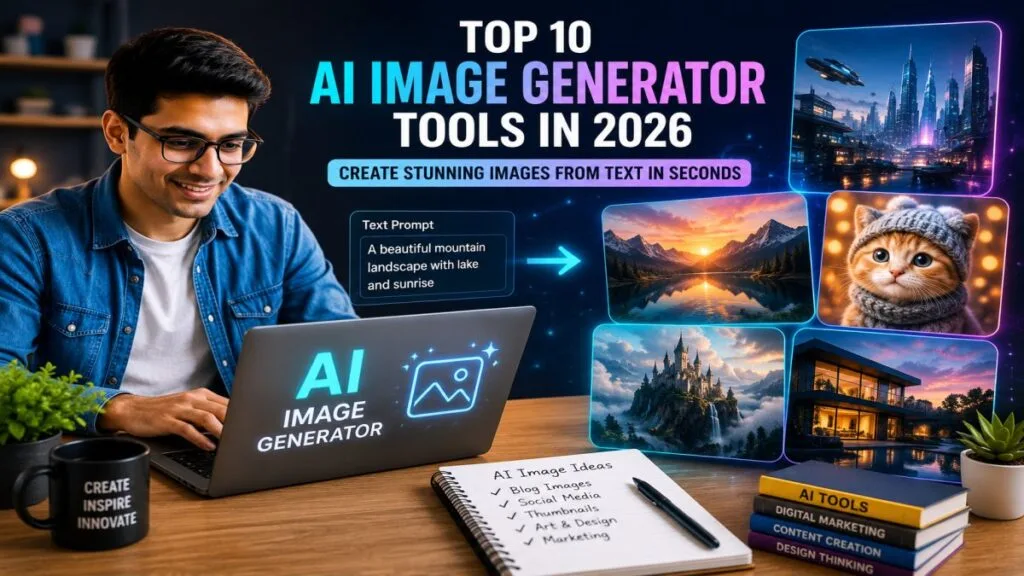
Creating amazing images is easier than ever with AI. Today, many AI image generator tools can turn a simple text prompt into beautiful artwork, realistic photos, logos, or social media graphics in just a few seconds. Whether you are a beginner, blogger, student, designer, or business owner, the best AI image generator can help you save time and create high-quality images without advanced design skills.
In this guide from UseAiLearn, you will discover the Top 10 AI Image Generator Tools for 2026. We will compare the best free AI image generator and paid options, explain their features, pricing, pros and cons, and help you choose the right tool for your needs. By the end of this article, you will know which AI image generator is best for your projects and how to get the best results with it. We will compare the best AI image generator tools, learn their pros and cons, pricing, and find the right tool for your needs.
What Is an AI Image Generator?
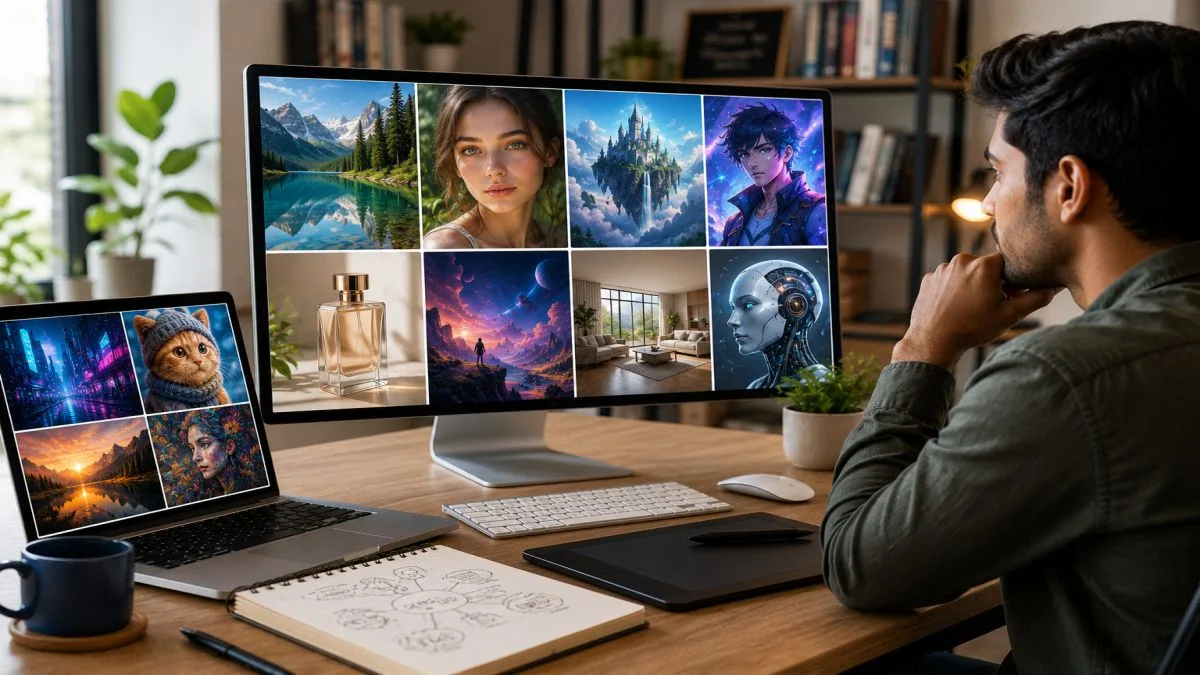
An AI image generator is a tool that creates images from your text. You only need to type what you want, and the AI turns your words into a picture. This process is called text-to-image AI.
Simply put, an AI image generator is a tool that creates images from text prompts using artificial intelligence. It helps users make artwork, illustrations, photos, and graphics quickly without design skills. Do you want to know How to Create AI Images?
For example, if you type:
“A cute white cat wearing sunglasses on a beach at sunset.”
The AI will create an image that matches your description. You do not need to draw or have graphic design skills.
These AI image generator tools use artificial intelligence to understand your prompt and create unique images in a few seconds. Many people use them to make blog images, social media posts, YouTube thumbnails, logos, posters, and digital art.
How Does an AI Image Generator Work?
An AI image generator works in three simple steps:
- Write a prompt.
Describe the image you want in simple words. - AI understands your prompt.
The AI reads your text and understands the objects, colors, style, and background. - The image is created.
In a few seconds, the AI generates one or more images based on your prompt.
Real-Life Example
Imagine you have a travel blog. You need a picture of:
“A beautiful mountain lake with sunrise and colorful flowers.”
Instead of searching for a stock photo, you can use a free AI image generator to create a brand-new image that matches your idea.
Another example is a YouTuber who needs a thumbnail. They can type:
“A surprised person looking at a glowing AI robot with a modern background.”
The AI creates a unique thumbnail in seconds.
Why Are AI Image Generators Popular?
People like AI image generators because they:
- Save time.
- Create images in seconds.
- Do not require drawing skills.
- Help create unique and creative designs.
- Are useful for bloggers, students, marketers, designers, and business owners.
Whether you want realistic photos, cartoons, illustrations, or digital art, the best AI image generator can help you create high-quality images quickly and easily.
Why Should You Use an AI Image Generator?
An AI image generator helps you create beautiful images in just a few seconds. You do not need to be a designer or artist. Simply type your idea, and the AI creates an image for you. This makes AI image generator tools useful for beginners and professionals alike.
Here are some of the biggest reasons to use an AI image generator.
1. Save Time
Creating an image from scratch can take hours. With the best AI image generator, you can create an image in less than a minute.
Example:
A blogger needs a featured image for a new article. Instead of spending hours designing it, they use an AI tool and get a ready-to-use image in seconds.
2. No Design Skills Needed
You do not need to learn Photoshop or graphic design. Just describe the image you want, and the AI does the hard work.
Example:
A student types:
“A science classroom with robots helping students.”
The AI quickly creates the image without any drawing skills.
3. Create Unique Images
AI creates unique images based on your prompt. This helps you make original visuals instead of using the same stock photos.
Example:
A small business owner creates a unique product banner for their website using a free AI image generator.
4. Useful for Many Types of Work
AI image generators can help with many tasks, such as:
- Blog featured images
- Social media posts
- YouTube thumbnails
- Business presentations
- Marketing posters
- Logos and illustrations
One tool can save time for many different projects.
5. Improve Creativity
Sometimes it is hard to think of new ideas. AI can turn your simple idea into different image styles, giving you fresh inspiration.
Example:
You type:
“A futuristic city at night with flying cars.”
The AI may create several different versions, helping you choose the one you like most.
6. Affordable for Everyone
Many AI image generator tools offer free plans. This means students, bloggers, freelancers, and small businesses can create high-quality images without spending a lot of money.
Who Should Use an AI Image Generator?
These tools are useful for:
- Bloggers
- Students
- YouTubers
- Content creators
- Social media managers
- Digital marketers
- Teachers
- Small business owners
- Freelancers
- Designers
Whether you need one image or hundreds of images every month, an AI image generator can make your work faster, easier, and more creative.
Quick Comparison Table
Choosing the right AI image generator tool can be difficult because each tool has different features. Some tools are best for beginners, while others are better for professional designers or businesses.
The quick comparison table below gives you a simple overview of the Top 10 AI Image Generator Tools. You can compare their best use, free plan, image quality, and whether they are beginner-friendly. This makes it easier to choose the tool that matches your needs.
Example:
- If you are a beginner, you may choose a tool that is easy to use and offers a free plan.
- If you need highly realistic images for professional work, you may choose a tool with advanced features.
Use this table as a quick guide before reading the detailed review of each AI image generator tool.
Quick Comparison Table
| AI Tool | Best For | Free |
|---|---|---|
| ChatGPT | Blog & Creative Images | ✅ |
| Midjourney | AI Art | ❌ |
| Adobe Firefly | Design & Editing | ✅ |
| Google Imagen | Realistic Images | ✅ Limited |
| Microsoft Designer | Social Media Graphics | ✅ |
| Leonardo AI | Game Art | ✅ |
| Canva AI | Social Media & Posters | ✅ |
| Ideogram | Text & Posters | ✅ |
| FLUX AI | Realistic Images | ✅ Limited |
| DreamStudio | Custom AI Images | ✅ Limited |
Note: Free plans, features, and image quality may change over time as these AI tools are updated.
How We Selected These Tools
We compared these AI image generator tools based on image quality, ease of use, pricing, features, beginner friendliness, and popularity.
Top 10 AI Image Generator Tools
There are many AI image generator tools available today. Some are perfect for beginners, while others are made for professional designers and businesses. The best AI image generator for you depends on your budget, the type of images you need, and how easy the tool is to use.
Below are the Top 10 AI Image Generator Tools that are popular in 2026. Each tool has its own strengths, features, and pricing. In the next sections, we will review every tool in detail so you can choose the right one.
1. ChatGPT Images
Overview
ChatGPT Images is one of the easiest AI image generator tools to use. You simply describe the image you want, and ChatGPT creates it in a few seconds. It can generate realistic photos, digital art, illustrations, product images, social media graphics, and much more.
Whether you are a blogger, student, teacher, marketer, or business owner, ChatGPT can help you create high-quality images without any design experience.
Example Prompt:
“Create a modern workspace with a laptop, coffee mug, green plants, and soft morning sunlight.”
ChatGPT will generate an image based on your description.
Best Features
- Creates images from simple text prompts.
- Easy for beginners to use.
- Produces realistic and creative images.
- Can generate images in different styles.
- Helps improve prompts with AI suggestions.
Pros
- Easy to learn and use.
- High-quality image generation.
- Fast results.
- Great for blogs, social media, and presentations.
- Suitable for beginners and professionals.
Cons
- Some advanced features may require a paid plan.
- Image style depends on the quality of your prompt.
Best For
- Bloggers
- Students
- Content creators
- Teachers
- Small business owners
- Social media managers
Pricing
- Free Plan: Yes (with limits)
- Paid Plan: Available with additional features and higher usage limits.
Why Choose ChatGPT
Choose ChatGPT if you want an easy-to-use AI image generator that is perfect for beginners. It can create high-quality images from simple text prompts and is great for bloggers, students, content creators, and small businesses.
Quick Verdict
⭐ Rating: 5/5
🏆 Best For: Beginners, Bloggers, Content Creators, and Everyday AI Image Generation
2. Midjourney
Overview
Midjourney is one of the most popular AI image generator tools for creating artistic and highly detailed images. It is widely used by digital artists, designers, and creative professionals.
If you want cinematic artwork, fantasy characters, concept art, or realistic illustrations, Midjourney is a great choice.
Example Prompt:
“A futuristic city at sunset with flying cars and glowing buildings.”
Midjourney can create a detailed and artistic image from this prompt.
Best Features
- Excellent artistic image quality.
- Creates highly detailed artwork.
- Multiple image style options.
- Produces professional-looking results.
- Strong creative output.
Pros
- Amazing image quality.
- Perfect for digital art.
- Produces detailed and realistic images.
- Great for professional creative work.
Cons
- Not as beginner-friendly as some other tools.
- Does not offer a permanent free plan.
- Learning good prompts takes time.
Best For
- Digital artists
- Graphic designers
- Illustrators
- Creative professionals
- Marketing agencies
Pricing
- Free Plan: No
- Paid Plan: Starts with different subscription options depending on usage.
Why Choose Midjourney
Choose Midjourney if you want stunning digital artwork, fantasy illustrations, and highly creative images. It is an excellent choice for artists, designers, and creative professionals.
Quick Verdict
⭐ Rating: 5/5
🏆 Best For: Digital Art, Concept Art, and Professional Creators
3. Adobe Firefly
Overview
Adobe Firefly is an AI image generator created by Adobe. It helps users create images, edit designs, generate text effects, and improve creative projects. It also works well with Adobe Photoshop and other Adobe Creative Cloud apps.
It is a good choice for people who already use Adobe products or need professional-quality graphics.
Example Prompt:
“Create a colorful summer sale banner with tropical leaves and modern typography.”
Adobe Firefly can generate a professional marketing design in seconds.
Best Features
- Easy integration with Adobe Creative Cloud.
- High-quality AI image generation.
- Commercial-friendly content creation.
- AI text effects.
- Image editing tools.
Pros
- Professional image quality.
- Beginner-friendly interface.
- Good for commercial projects.
- Trusted Adobe ecosystem.
Cons
- Some premium features require a paid subscription.
- Best experience comes with Adobe Creative Cloud.
Best For
- Graphic designers
- Businesses
- Digital marketers
- Content creators
- Adobe Creative Cloud users
Pricing
- Free Plan: Yes (limited credits)
- Paid Plan: Available with more AI credits and premium features.
Why Choose Adobe Firefly
Choose Adobe Firefly if you already use Adobe Photoshop or Illustrator. It offers powerful AI features for creating and editing professional-quality images while fitting smoothly into the Adobe Creative Cloud ecosystem.
Quick Verdict
⭐ Rating: 4.8/5
🏆 Best For: Graphic Designers, Marketing Teams, and Adobe Users
4. Google Imagen
Overview
Google Imagen is a powerful AI image generator developed by Google. It is known for creating highly realistic and detailed images from simple text prompts. It understands natural language very well, so you can describe your idea in simple English and get impressive results.
Google Imagen is a great choice if you want realistic photos, creative artwork, or professional-quality visuals.
Example Prompt:
“A peaceful mountain lake at sunrise with colorful flowers and birds flying in the sky.”
Google Imagen can generate a realistic image based on this prompt.
Best Features
- Creates highly realistic images.
- Understands detailed text prompts.
- Generates high-quality images quickly.
- Good for creative and professional projects.
- Easy to use with Google’s AI technology.
Pros
- Excellent image quality.
- Produces realistic photos.
- Easy prompt understanding.
- Suitable for beginners and professionals.
- Fast image generation.
Cons
- Some features may not be available in every country.
- Free usage may have limits.
- Availability may change as Google updates its AI services.
Best For
- Bloggers
- Digital marketers
- Students
- Content creators
- Business owners
- Anyone who wants realistic AI images
Pricing
- Free Plan: Yes (limited access)
- Paid Plan: May be available through Google’s AI services, depending on the platform and usage.
Why Choose Google Imagen
Choose Google Imagen if your priority is realistic and high-quality AI-generated images. It is a great option for creating product photos, landscapes, and lifelike visuals.
Quick Verdict
⭐ Rating: 4.9/5
🏆 Best For: Realistic Images and Professional Visuals
5. Microsoft Designer
Overview
Microsoft Designer is an easy-to-use AI image generator that helps you create images, social media posts, invitations, presentations, and marketing graphics. It combines AI image generation with simple design tools, making it a great option for beginners.
If you want beautiful designs without learning graphic design, Microsoft Designer is worth trying.
Example Prompt:
“Create a modern Instagram post for a coffee shop with a coffee cup and warm colors.”
Microsoft Designer can create both the image and the design layout.
Best Features
- AI image generation.
- Ready-made design templates.
- Easy drag-and-drop editor.
- Social media design tools.
- Fast and beginner-friendly.
Pros
- Very easy to use.
- Free plan available.
- Saves time.
- Great for social media graphics.
- No design experience needed.
Cons
- Fewer advanced editing features than professional design software.
- Some premium features require a paid plan.
Best For
- Beginners
- Bloggers
- Small business owners
- Social media managers
- Teachers
- Students
Pricing
- Free Plan: Yes
- Paid Plan: Available with additional AI features and Microsoft services.
Why Choose Microsoft Designer
Choose Microsoft Designer if you need quick designs for social media, presentations, or marketing. It is simple to use and works well for people who want fast results without design experience.
Quick Verdict
⭐ Rating: 4.7/5
🏆 Best For: Social Media Graphics and Marketing Designs
6. Leonardo AI
Overview
Leonardo AI is a popular AI image generator for creating detailed artwork, game assets, illustrations, and concept designs. It offers many customization options, making it a favorite among artists and creative professionals.
If you want more control over your AI-generated images, Leonardo AI is an excellent choice.
Example Prompt:
“A futuristic robot warrior standing in a neon cyberpunk city with cinematic lighting.”
Leonardo AI can create a detailed and high-quality image from this prompt.
Best Features
- High-quality AI artwork.
- Advanced image customization.
- Multiple artistic styles.
- Fast image generation.
- AI canvas and editing tools.
Pros
- Excellent image quality.
- Great creative control.
- Suitable for game art and illustrations.
- Free plan available.
- Active user community.
Cons
- Advanced options may feel confusing for first-time users.
- Some premium features require a paid subscription.
Best For
- Digital artists
- Game developers
- Illustrators
- Designers
- Creative professionals
Pricing
- Free Plan: Yes (daily free credits)
- Paid Plan: Available with more credits, faster generation, and premium features.
Why Choose Leonardo AI
Choose Leonardo AI if you create game art, character designs, or detailed illustrations. It gives you more control over image generation and is popular among creative professionals.
Quick Verdict
⭐ Rating: 4.8/5
🏆 Best For: Game Designers, Character Artists, and Illustrators
7. Canva AI
Overview
Canva AI is one of the easiest AI image generator tools for beginners. It helps you create AI-generated images, social media posts, presentations, posters, logos, and marketing graphics in one place. Since Canva also includes a drag-and-drop editor, you can create and edit your designs without using extra software.
If you want a simple tool for both image generation and design, Canva AI is a great choice.
Example Prompt:
“A modern YouTube thumbnail with a robot, blue background, and bold text saying ‘AI Tips’.”
Canva AI can generate the image and let you edit it using Canva’s design tools.
Best Features
- AI image generation from text prompts.
- Easy drag-and-drop editor.
- Thousands of ready-made templates.
- One-click background remover (Pro feature).
- Team collaboration tools.
- Works on desktop and mobile.
Pros
- Very beginner-friendly.
- Free plan available.
- Easy to edit AI-generated images.
- Perfect for social media and presentations.
- No graphic design experience needed.
Cons
- Some AI features require Canva Pro.
- Fewer advanced image generation options than some dedicated AI tools.
Best For
- Beginners
- Bloggers
- Students
- Teachers
- Social media creators
- Small business owners
Pricing
- Free Plan: Yes
- Paid Plan: Canva Pro offers more AI credits, premium templates, and advanced editing features.
Why Choose Canva AI
Choose Canva AI if you want an all-in-one platform for creating images, presentations, posters, and social media content. Its drag-and-drop editor makes designing simple for beginners.
Quick Verdict
⭐ Rating: 4.8/5
🏆 Best For: Beginners, Teachers, Bloggers, and Social Media Creators
8. Ideogram
Overview
Ideogram is an AI image generator that is especially good at creating images with clear and readable text. Many AI image tools struggle to generate accurate text inside images, but Ideogram performs much better in this area.
It is a good choice for posters, logos, advertisements, banners, and social media graphics.
Example Prompt:
“A modern coffee shop poster with the text ‘Fresh Coffee Every Day’ and a stylish coffee cup.”
Ideogram can generate both the design and readable text in the image.
Best Features
- Excellent text generation inside images.
- Creates posters and banners.
- High-quality AI artwork.
- Multiple image styles.
- Simple and clean interface.
Pros
- Best for images with text.
- Easy to use.
- Good image quality.
- Free plan available.
- Fast image generation.
Cons
- Fewer editing tools than Canva.
- Some premium features require a paid plan.
Best For
- Graphic designers
- Business owners
- Marketers
- Bloggers
- Social media creators
Pricing
- Free Plan: Yes
- Paid Plan: Available with more AI credits and premium features.
Why Choose Ideogram
Choose Ideogram if your images need accurate and readable text. It is one of the best AI image generators for creating posters, logos, banners, and social media graphics with text.
Quick Verdict
⭐ Rating: 4.7/5
🏆 Best For: Posters, Logos, and Text-Based Designs
9. FLUX AI
Overview
FLUX AI is a modern AI image generator known for producing realistic and high-quality images. It has become popular because of its strong prompt understanding and detailed image generation.
Whether you want portraits, product photos, digital art, or creative illustrations, FLUX AI can deliver impressive results.
Example Prompt:
“A luxury wristwatch on a black marble table with soft studio lighting.”
FLUX AI can create a professional-looking product image from this prompt.
Best Features
- High-quality realistic images.
- Excellent prompt understanding.
- Fast image generation.
- Multiple artistic styles.
- Detailed image output.
Pros
- Outstanding image quality.
- Great for realistic photos.
- Easy to use.
- Suitable for commercial projects.
- Produces detailed results.
Cons
- Free usage may be limited.
- Some advanced features require a paid plan.
Best For
- Bloggers
- Businesses
- Digital marketers
- Product designers
- Content creators
Pricing
- Free Plan: Yes (limited)
- Paid Plan: Available with more AI credits and advanced features.
Why Choose FLUX AI
Choose FLUX AI if you want sharp, realistic, and modern AI-generated images. It is known for producing impressive image quality and handling detailed prompts well.
Quick Verdict
⭐ Rating: 4.8/5
🏆 Best For: High-Quality Realistic Images and Creative Projects
10. DreamStudio (Stable Diffusion)
Overview
DreamStudio is the official platform for Stable Diffusion, one of the most popular open AI image generation models. It gives users more control over image creation by offering advanced settings such as image size, style, prompt strength, and negative prompts.
It is best for users who want to experiment and create custom AI artwork.
Example Prompt:
“A fantasy castle floating in the clouds with dragons flying around during sunset.”
DreamStudio can generate a detailed image while allowing you to fine-tune the output.
Best Features
- Powered by Stable Diffusion.
- Advanced image customization.
- Supports negative prompts.
- High-resolution image generation.
- Flexible creative controls.
Pros
- More control over image creation.
- Excellent image quality.
- Great for advanced users.
- Supports many creative styles.
- Suitable for custom projects.
Cons
- Can feel difficult for beginners.
- Free credits are limited.
- Advanced settings require some learning.
Best For
- Advanced users
- Developers
- Designers
- Digital artists
- AI enthusiasts
Pricing
- Free Plan: Limited free credits for new users.
- Paid Plan: Pay-as-you-go pricing based on AI credits used.
Why Choose DreamStudio
Choose DreamStudio if you want more control over image generation and enjoy experimenting with different settings. It is a good choice for advanced users and developers who need flexible customization.
Quick Verdict
⭐ Rating: 4.7/5
🏆 Best For: Advanced Users, Developers, and Custom AI Image Generation
Which AI Image Generator Is Best?
There is no single best AI image generator for everyone. The right tool depends on what you want to create, your budget, and your experience level. Some AI image generator tools are perfect for beginners, while others offer advanced features for professionals.
Below are our recommendations based on different needs.
Best AI Image Generator for Beginners
If you are just starting, choose a tool that is easy to use and has a free plan.
Recommended Tools:
- ChatGPT
- Canva AI
- Microsoft Designer
These tools have simple interfaces and do not require design experience.
Example:
A student wants to create an image for a school presentation. Canva AI or ChatGPT can generate a beautiful image in just a few minutes.
Best AI Image Generator for Realistic Images
If you want lifelike photos with rich details, choose a tool that focuses on realistic image generation.
Recommended Tools:
- Google Imagen
- FLUX AI
These tools create realistic portraits, landscapes, and product images.
Example:
An online store owner needs a professional product image for a new smartwatch. Google Imagen or FLUX AI can create a realistic-looking product photo.
Best AI Image Generator for Digital Art
Artists and designers often need creative and detailed artwork.
Recommended Tools:
- Midjourney
- Leonardo AI
These tools are excellent for fantasy art, concept art, game characters, and illustrations.
Example:
A game designer wants to create a dragon character for a new game. Leonardo AI can generate a detailed concept image in minutes.
Best AI Image Generator for Marketing and Business
Businesses need eye-catching graphics for advertisements, websites, and social media.
Recommended Tools:
- Adobe Firefly
- Microsoft Designer
These tools help create professional marketing materials quickly.
Example:
A restaurant owner wants a promotional banner for a weekend discount. Adobe Firefly can create a professional-looking banner with attractive visuals.
Best Free AI Image Generator
If you do not want to spend money, several tools offer free plans.
Recommended Tools:
- ChatGPT
- Canva AI
- Microsoft Designer
- Leonardo AI
- Ideogram
These tools allow you to create AI-generated images without paying, although some free plans have daily or monthly limits.
Example:
A blogger who is just starting can use Canva AI or ChatGPT to create featured images without buying expensive design software.
Best AI Image Generator for Bloggers and Content Creators
Bloggers and content creators need high-quality images that attract readers.
Recommended Tools:
- ChatGPT
- Canva AI
- Adobe Firefly
These tools make it easy to create blog featured images, social media graphics, and website visuals.
Example:
A travel blogger writes an article about Switzerland and needs a unique hero image. ChatGPT can generate a beautiful mountain landscape instead of using a common stock photo.
Best AI Image Generator for Social Media
If your goal is to create content for Instagram, Facebook, LinkedIn, or Pinterest, choose a tool that is fast and easy to edit.
Recommended Tools:
- Canva AI
- Microsoft Designer
- Adobe Firefly
These tools include templates and editing features that save time.
Example:
A small business owner wants to post a product promotion on Instagram. Canva AI can generate the image and help design the post in one place.
Our Final Recommendation
If you are looking for one tool to start with, ChatGPT is a great choice because it is beginner-friendly, easy to use, and can create high-quality AI images from simple prompts.
If you want professional digital artwork, Midjourney and Leonardo AI are excellent options.
If your main focus is marketing and business designs, Adobe Firefly and Microsoft Designer are reliable choices.
There is no perfect tool for every user. The best AI image generator is the one that matches your goals, budget, and the type of images you want to create.
Note: We tested popular AI image generator tools based on ease of use, image quality, features, pricing, and beginner-friendliness before creating this comparison.
How to Choose the Right AI Image Generator
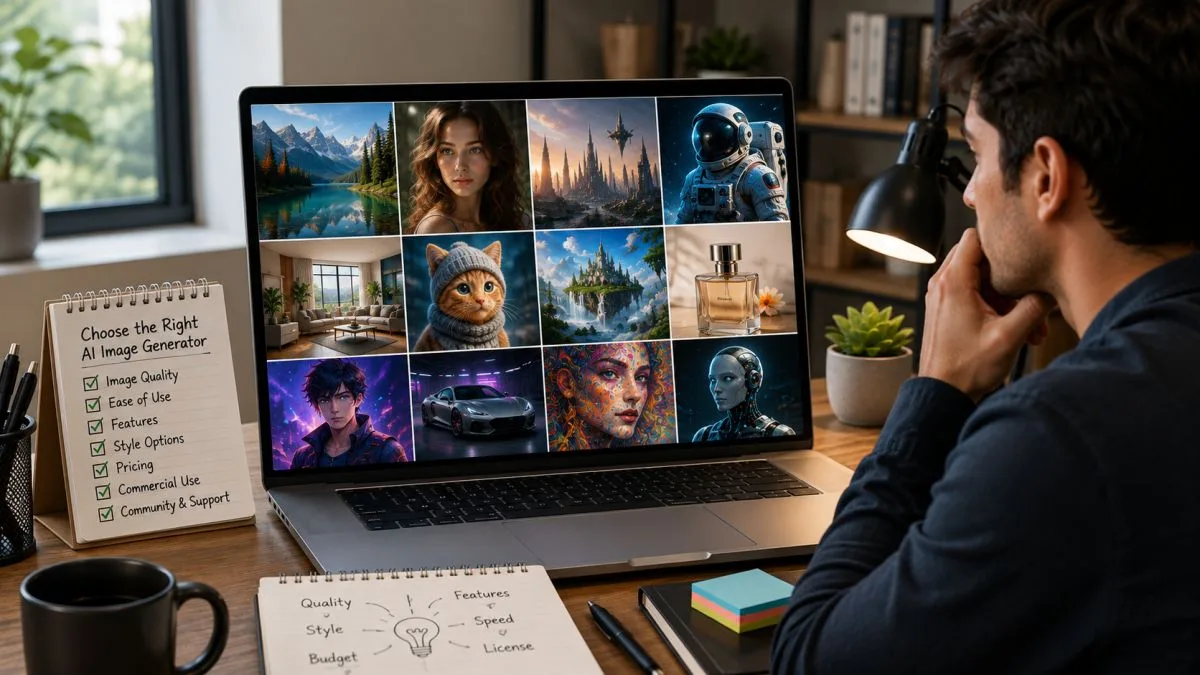
Choosing the right AI image generator is important because every tool is designed for different users and different types of projects. Some AI image generator tools are simple and beginner-friendly, while others offer advanced features for professionals.
Before you choose a tool, think about what you want to create and how you plan to use it.
Here are the most important factors to consider.
1. Decide Your Purpose
First, ask yourself why you need an AI image generator.
Different tools are better for different tasks.
For example:
- A blogger may need featured images.
- A YouTuber may need eye-catching thumbnails.
- A business owner may need marketing banners.
- A designer may need digital artwork.
Choose a tool that matches your main goal.
2. Check Your Budget
Some AI image generators are completely free, while others require a monthly subscription.
If you are a beginner, start with a free AI image generator. As your needs grow, you can upgrade to a paid plan.
Example:
A student can use ChatGPT or Canva AI for free before paying for advanced features.
3. Look at Image Quality
Not every AI tool creates the same quality images.
If you need realistic photos, choose a tool known for realistic image generation.
If you want artistic illustrations, choose a tool made for digital art.
Example:
- Google Imagen is great for realistic images.
- Midjourney is excellent for artistic images.
Always choose a tool that fits your project.
4. Make Sure It Is Easy to Use
A complicated tool can waste your time.
If you are new to AI, choose an AI image generator with a simple interface and clear controls.
Example:
Canva AI has an easy drag-and-drop editor, making it a good choice for beginners.
5. Check the Editing Features
Sometimes the first AI-generated image is not perfect.
A good AI image generator should let you edit your images easily.
Useful editing features include:
- Background removal
- Resize images
- Add text
- Change colors
- Improve image quality
These features save time because you do not need another editing app.
6. Check Commercial Usage Rights
If you plan to use AI-generated images for your blog, YouTube channel, online store, or business, always check the tool’s commercial usage policy.
Some tools allow commercial use, while others may have restrictions depending on your plan.
Example:
A business owner creating product advertisements should make sure the images can be used for commercial purposes.
7. Compare Speed and Performance
Some AI tools create images in just a few seconds, while others take longer.
If you create many images every day, choose a fast tool.
Example:
A social media manager who creates daily posts will benefit from a fast AI image generator.
8. Read User Reviews
Before choosing an AI image generator, read user reviews and test the free version if available.
Real users can help you understand the tool’s strengths and weaknesses.
Example:
A freelancer compares ChatGPT, Leonardo AI, and Canva AI before choosing the one that fits their workflow.
Quick Checklist Before Choosing an AI Image Generator
Ask yourself these simple questions:
- ✅ What type of images do I need?
- ✅ Do I need a free or paid tool?
- ✅ Is the tool easy to use?
- ✅ Does it create high-quality images?
- ✅ Can I use the images for commercial work?
- ✅ Does it include editing features?
- ✅ Is it suitable for beginners?
If your answer is “Yes” to most of these questions, you have probably found the right AI image generator.
Pros and Cons of AI Image Generator Tools
AI image generator tools have changed the way people create images. They help you make beautiful pictures in seconds, even if you have no design experience. However, like any technology, they also have some limitations.
Before choosing the best AI image generator, it is important to understand both the advantages and disadvantages.
Pros of AI Image Generator Tools
1. Save Time
One of the biggest benefits of an AI image generator is speed. Instead of spending hours designing an image, you can create one in just a few seconds.
Example:
A blogger needs a featured image for a new article. Instead of designing it manually, they use ChatGPT or Canva AI and get a ready-to-use image in less than a minute.
2. Easy for Beginners
You do not need graphic design skills to use most AI image generators. Simply write a prompt, and the AI creates the image for you.
Example:
A student types:
“A classroom with students learning about space.”
The AI creates the image without requiring any drawing skills.
3. Create Unique Images
AI generates new images based on your prompt. This helps you create original visuals instead of using the same stock images that many websites use.
Example:
A travel blogger creates a unique image of a tropical beach instead of downloading a common stock photo.
4. Improve Creativity
AI can turn simple ideas into creative images. It can also generate different styles, helping you explore new ideas.
Example:
You type:
“A futuristic library with floating books.”
The AI may create several creative versions of the same idea.
5. Useful for Many Projects
AI image generators can be used for many different purposes, including:
- Blog featured images
- Social media posts
- YouTube thumbnails
- Marketing banners
- Presentations
- Posters
- Digital artwork
- Product mockups
This makes one tool useful for many creative tasks.
6. Affordable Options
Many free AI image generators let you create images without paying. Paid plans usually offer more features, faster generation, and higher usage limits.
This makes AI image generation accessible to students, bloggers, freelancers, and small businesses.
Cons of AI Image Generator Tools
1. Image Quality Depends on Your Prompt
AI can only create what it understands from your prompt. If your prompt is too short or unclear, the image may not match your expectations.
Example:
Instead of writing:
“A dog.”
Write:
“A happy golden retriever playing in a green park on a sunny day.”
A detailed prompt usually produces better results.
2. Some Features Require a Paid Plan
Most AI tools offer free plans, but advanced features often require a subscription.
These may include:
- Higher image quality
- Faster image generation
- More AI credits
- Commercial usage options
- Advanced editing tools
3. AI Can Make Mistakes
Sometimes AI generates images with small errors.
For example:
- Extra fingers or hands
- Incorrect text inside images
- Unnatural facial details
- Objects placed in the wrong position
You may need to generate the image again or make small edits.
4. Commercial Use May Have Rules
Not every AI image generator allows the same type of commercial use.
Before using AI-generated images for:
- Business
- Advertisements
- Websites
- Products
- Client work
Always check the tool’s license and terms of use.
5. Internet Connection Is Usually Required
Most AI image generators work online.
If your internet connection is slow, image generation may take longer.
6. Learning Better Prompts Takes Practice
Although AI tools are easy to use, writing effective prompts is a skill.
The more detailed and clear your prompt is, the better your images will be.
Example:
Instead of:
“A city.”
Try:
“A modern city skyline at night with colorful lights reflected in the river.”
Quick Comparison
| Pros | Cons |
|---|---|
| Creates images in seconds | Good prompts are important |
| Easy for beginners | Some features require payment |
| Saves time | AI can make small mistakes |
| Creates unique images | Commercial use rules may vary |
| Useful for many projects | Internet connection is usually needed |
| Free plans are available | Better results need prompt practice |
Final Thoughts
The advantages of AI image generator tools are much greater than their disadvantages for most users. If you learn how to write clear prompts and choose the right tool, you can create high-quality images quickly and easily.
Whether you are a blogger, student, designer, or business owner, an AI image generator can help you save time and improve your creative work.
Best Prompt Examples for AI Image Generators
Writing a good prompt is the key to creating amazing AI images. A prompt is simply a description that tells the AI image generator what you want to create. The clearer and more detailed your prompt is, the better your results will be.
Below are some ready-to-use prompt examples for different purposes. You can copy them or customize them based on your needs.
1. Realistic Portrait Prompt
Best For: Profile pictures, blogs, and marketing
Prompt:
“A smiling young woman standing in a flower garden during golden hour, wearing a blue dress, realistic photography, natural lighting, ultra-detailed, 8K quality, DSLR camera, soft background blur.”
2. Blog Featured Image Prompt
Best For: Blog posts and websites
Prompt:
“A modern workspace with a laptop showing AI technology, coffee mug, notebook, indoor plants, clean desk, soft morning sunlight, realistic style, professional blog header, high quality.”
3. YouTube Thumbnail Prompt
Best For: YouTube videos
Prompt:
“A surprised young man pointing at a glowing AI robot, colorful background, dramatic lighting, bold composition, high contrast, YouTube thumbnail style, ultra detailed.”
4. Social Media Post Prompt
Best For: Instagram, Facebook, LinkedIn
Prompt:
“A modern social media marketing workspace with smartphone, laptop, charts, colorful gradients, clean design, vibrant colors, professional style, realistic image.”
5. Product Photography Prompt
Best For: E-commerce and online stores
Prompt:
“A luxury smartwatch placed on black marble with soft studio lighting, premium product photography, realistic reflections, ultra-HD, commercial advertising style.”
6. Fantasy Art Prompt
Best For: Digital art and creative projects
Prompt:
“A magical castle floating above the clouds, dragons flying in the sky, glowing waterfalls, cinematic lighting, fantasy artwork, ultra detailed, epic style.”
7. Cartoon Style Prompt
Best For: Kids’ content and illustrations
Prompt:
“A cute panda wearing sunglasses and riding a bicycle through a colorful park, cartoon style, bright colors, happy atmosphere, children’s illustration.”
8. Anime Style Prompt
Best For: Anime lovers and character design
Prompt:
“A teenage anime hero standing under cherry blossom trees during sunset, detailed anime style, cinematic lighting, colorful sky, highly detailed illustration.”
9. Logo Concept Prompt
Best For: Business branding
Prompt:
“A modern minimalist logo for an AI technology company, blue and white colors, clean lines, simple icon, professional branding, vector style.”
10. Travel and Nature Prompt
Best For: Travel blogs and wallpapers
Prompt:
“A crystal-clear mountain lake surrounded by snow-covered peaks, pine trees, sunrise, golden light, realistic landscape photography, ultra-HD, peaceful atmosphere.”
Tips for Writing Better AI Prompts
To get the best results from any AI image generator, include these details in your prompt:
- Main subject (What should appear?)
- Background (Where is it?)
- Image style (Realistic, Cartoon, Anime, Watercolor, etc.)
- Lighting (Golden hour, Studio light, Sunset, Soft light)
- Camera angle (Close-up, Wide shot, Top view)
- Colors (Warm colors, Blue tones, Vibrant colors)
- Quality (Ultra HD, 4K, 8K, High detail)
Prompt Formula
You can follow this simple formula:
Subject + Background + Style + Lighting + Colors + Quality
Example:
“A white cat sitting on a wooden chair in a cozy living room, realistic photography, warm sunlight, soft shadows, ultra-detailed, 8K quality.”
Common Mistakes to Avoid
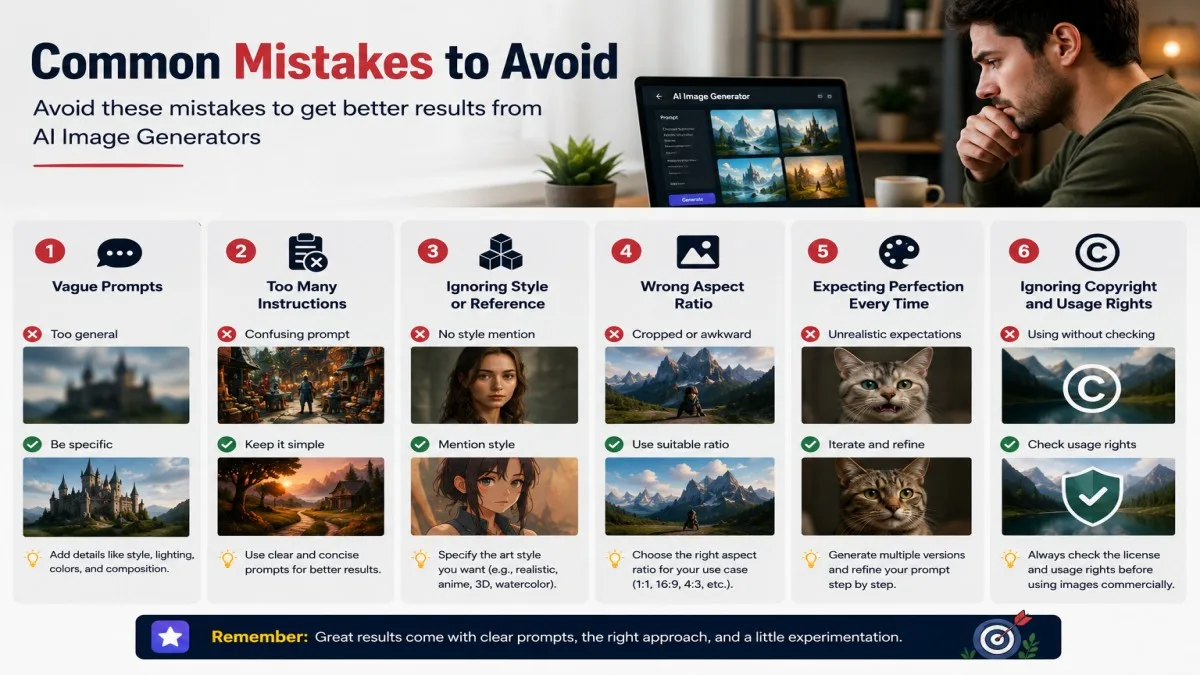
Many people start using an AI image generator without learning the basics. This often leads to poor-quality images or wasted time. The good news is that most of these mistakes are easy to avoid.
Here are some common mistakes and simple ways to fix them.
1. Writing Very Short Prompts
One of the biggest mistakes is writing prompts that are too short. AI needs clear instructions to create the image you want.
Poor Prompt:
“A dog.”
Better Prompt:
“A happy golden retriever running in a green park on a sunny morning, realistic style.”
The more details you provide, the better the AI image generator can understand your idea.
2. Choosing the Wrong AI Image Generator
Not every AI image generator tool is made for the same purpose. Using the wrong tool may give you poor results.
Example:
- If you want realistic photos, Google Imagen or FLUX AI may be a better choice.
- If you want creative artwork, Midjourney or Leonardo AI may work better.
- If you want social media designs, Canva AI is a great option.
Always choose the tool based on your project.
3. Ignoring Image Quality
Some users download the first image without checking its quality.
Before using an AI-generated image, make sure:
- The image is clear.
- The face and hands look natural.
- The background looks correct.
- The image size is suitable for your project.
A quick review can help you avoid mistakes.
4. Not Checking Commercial Usage Rules
Many people assume they can use every AI-generated image for business. This is not always true.
Before using images for:
- Blogs
- Business websites
- Online stores
- Advertisements
- Client projects
Read the tool’s commercial usage policy.
Example:
A business owner should check the license before using an AI-generated image in a paid advertising campaign.
5. Using AI Images Without Editing
The first AI-generated image is not always perfect.
Sometimes you may need to:
- Crop the image.
- Improve the colors.
- Remove unwanted objects.
- Add text or a logo.
A few small edits can make the image look much more professional.
6. Expecting Perfect Results on the First Try
AI image generation is a creative process. You may need to change your prompt several times before getting the image you want.
Example:
If the first image looks too dark, you can update your prompt by adding:
“Bright natural lighting with a blue sky.”
Small prompt changes often produce much better results.
7. Forgetting to Save Your Best Prompts
Many users create a great image but forget to save the prompt they used.
Save your successful prompts in a notebook or document.
This helps you create similar high-quality images faster in the future.
8. Depending Only on AI
AI is a powerful tool, but it should not replace your creativity.
Always review the final image and make changes if needed.
The best results come from combining your ideas with the power of AI.
Quick Tips to Avoid These Mistakes
- Write clear and detailed prompts.
- Choose the right AI image generator for your project.
- Check image quality before downloading.
- Read the commercial usage policy.
- Edit the image if needed.
- Try different prompts to improve results.
- Save your best prompts for future use.
By avoiding these common mistakes, you can create better AI images, save time, and get more professional results.
Tips to Get Better AI Images
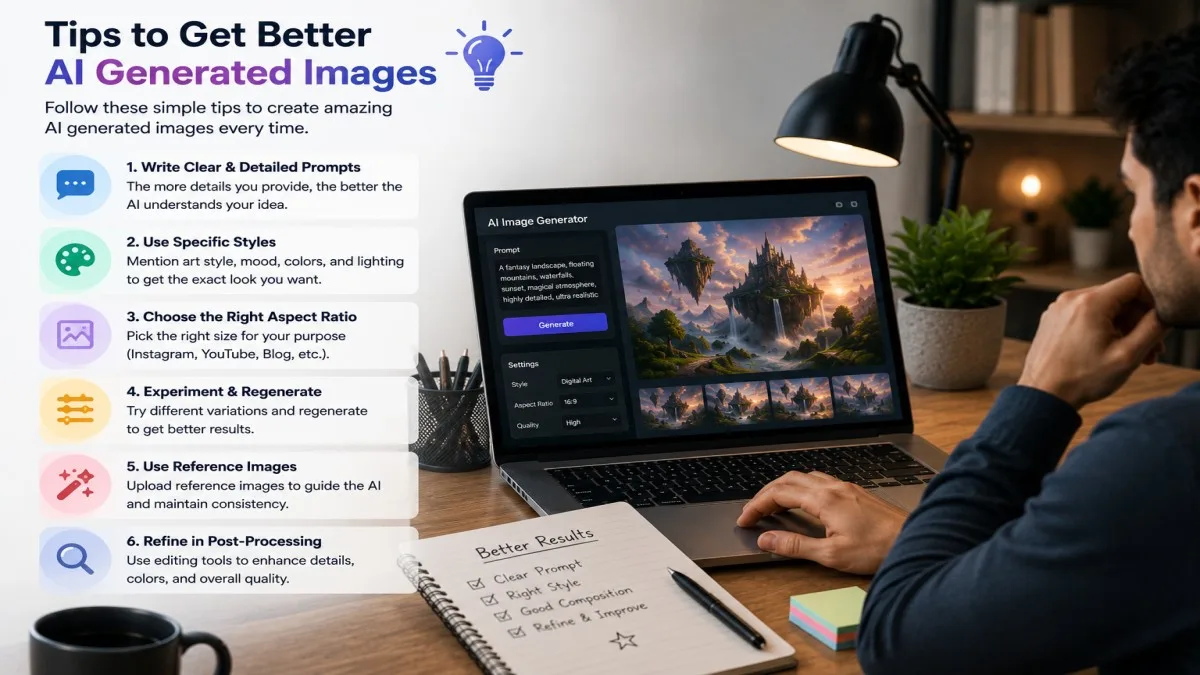
Creating amazing images with an AI image generator is not just about choosing the right tool. The quality of your image also depends on how you write your prompt and use the tool. Even beginners can create professional-looking images by following a few simple tips.
Here are some practical tips to help you get better results.
1. Write Clear and Detailed Prompts
A clear prompt helps the AI understand exactly what you want.
Instead of writing:
“A house.”
Write:
“A modern white house with a garden, blue sky, green trees, and warm sunlight, realistic style.”
The second prompt gives more details, so the AI can create a better image.
2. Mention the Image Style
Tell the AI what style you want. This helps create images that match your needs.
Some popular styles are:
- Realistic photo
- Cartoon
- Watercolor painting
- Digital art
- 3D render
- Pencil sketch
- Anime
Example:
“A realistic photo of a golden retriever playing in a park.”
or
“A watercolor painting of a peaceful mountain village.”
3. Add Lighting and Colors
Lighting and colors can completely change the look of an image.
You can use words like:
- Soft lighting
- Golden hour
- Bright sunlight
- Neon lights
- Warm colors
- Cool colors
Example:
“A cozy coffee shop with warm lighting and wooden furniture.”
This makes the image feel more realistic and attractive.
4. Describe the Background
Do not focus only on the main subject. Describe the background too.
Example:
Instead of:
“A tiger.”
Write:
“A Bengal tiger walking through a green forest with morning sunlight and light fog.”
A detailed background makes the image more interesting.
5. Use Simple English
Most AI image generator tools understand simple English better than long or confusing sentences.
Keep your prompt clear and easy to understand.
Good Example:
“A young woman reading a book in a modern library with natural light.”
Simple prompts often produce excellent results.
6. Try Different Versions
Do not stop after the first image.
Generate two or three versions and compare them.
Sometimes a small change in your prompt creates a much better image.
Example:
First Prompt:
“A beach at sunset.”
Second Prompt:
“A tropical beach at sunset with palm trees, orange sky, calm waves, and realistic style.”
The second prompt usually produces a richer image.
7. Choose the Right AI Image Generator
Different tools are better for different types of images.
For example:
- ChatGPT – General-purpose images and creative ideas.
- Canva AI – Social media graphics and presentations.
- Midjourney – Artistic and detailed artwork.
- Google Imagen – Realistic photos.
- Leonardo AI – Game art and illustrations.
Choosing the right tool gives better results.
8. Review and Edit Your Image
Before downloading your image, take a moment to check it carefully.
Ask yourself:
- Is the image clear?
- Are the colors attractive?
- Does the background look natural?
- Are the hands and face correct?
- Does the image match my prompt?
If something looks wrong, update your prompt or edit the image.
Quick Tips for Better AI Images
- Write clear and detailed prompts.
- Mention the image style.
- Add lighting and color details.
- Describe the background.
- Use simple English.
- Try different prompt versions.
- Choose the right AI image generator.
- Review and edit the final image.
By following these tips, you can create high-quality AI-generated images that look more professional and match your ideas.
Frequently Asked Questions
1. What is the best AI image generator?
There is no single best AI image generator for everyone. The right tool depends on what you want to create.
For example:
- ChatGPT is great for beginners and bloggers.
- Midjourney is perfect for artistic images.
- Google Imagen is ideal for realistic photos.
- Canva AI is excellent for social media graphics.
Choose the tool that matches your needs and budget.
2. Are there any free AI image generator tools?
Yes. Many AI image generator tools offer free plans with some limits.
Some popular free options include:
- ChatGPT
- Canva AI
- Microsoft Designer
- Leonardo AI
- Ideogram
Example:
If you are a student and only need a few images every week, a free plan may be enough.
3. Can I use AI-generated images for commercial purposes?
It depends on the AI tool you use.
Many tools allow commercial use, but some have rules or require a paid plan. Always read the tool’s license and terms before using AI-generated images for:
- Business websites
- Advertisements
- Online stores
- Client projects
Example:
If you want to use an AI-generated image in a Facebook ad, first check whether your AI tool allows commercial use.
4. Do I need design skills to use an AI image generator?
No. Most AI image generator tools are made for beginners.
You only need to describe your idea in simple words, and the AI creates the image for you.
Example:
Type:
“A cute puppy playing in a flower garden.”
The AI will generate the image without any drawing or graphic design skills.
5. How can I create better AI images?
To get better results:
- Write clear and detailed prompts.
- Mention the image style.
- Describe the background.
- Add lighting and color details.
- Try different prompt versions.
- Choose the right AI image generator.
Example:
Instead of writing:
“A car.”
Write:
“A red sports car driving on a mountain road during sunset, realistic style.”
The second prompt usually creates a much better image.
6. Which AI image generator is best for beginners?
If you are new to AI, these tools are easy to use:
- ChatGPT
- Canva AI
- Microsoft Designer
They have simple interfaces and do not require any technical knowledge.
7. Can AI image generators create realistic images?
Yes. Modern AI image generators can create highly realistic images.
Tools like Google Imagen, FLUX AI, and ChatGPT can generate detailed landscapes, portraits, product photos, and other realistic visuals.
Example:
You can generate a realistic image of:
“A modern office with large windows, wooden furniture, and natural sunlight.”
8. What should I do if the AI creates the wrong image?
This is common and easy to fix.
Try these steps:
- Add more details to your prompt.
- Change the image style.
- Describe the background more clearly.
- Generate another version.
Small changes often produce much better results.
Conclusion
Choosing the right AI image generator can save you time, improve your creativity, and help you create high-quality images with ease. Whether you are a blogger, student, content creator, marketer, or business owner, there is an AI image generator tool that fits your needs. If you are just starting, try a free tool like ChatGPT or Canva AI and practice writing better prompts. As your skills grow, you can explore more advanced tools for professional results.
Bookmark this guide on UseAiLearn so you can compare AI image generator tools whenever you need the right one.
At UseAiLearn, our goal is to help you understand AI in the simplest way possible. Keep learning, test different AI tools, and use them wisely to create images that make your content stand out.