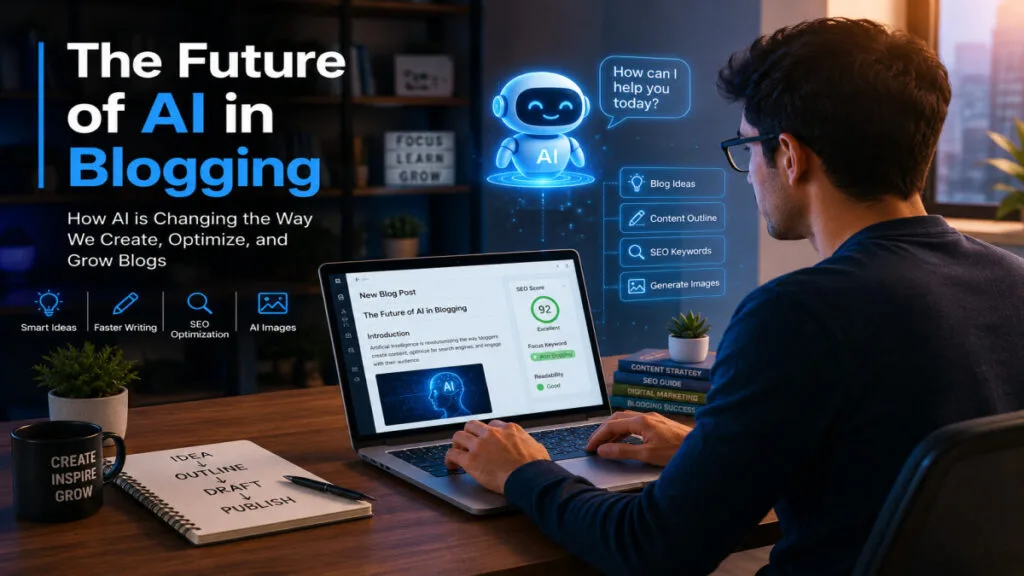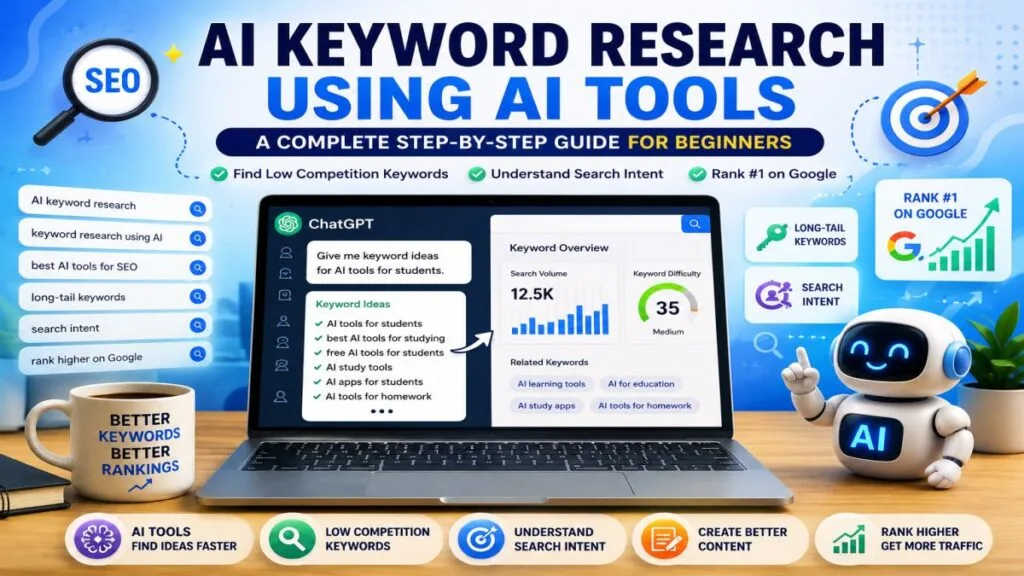
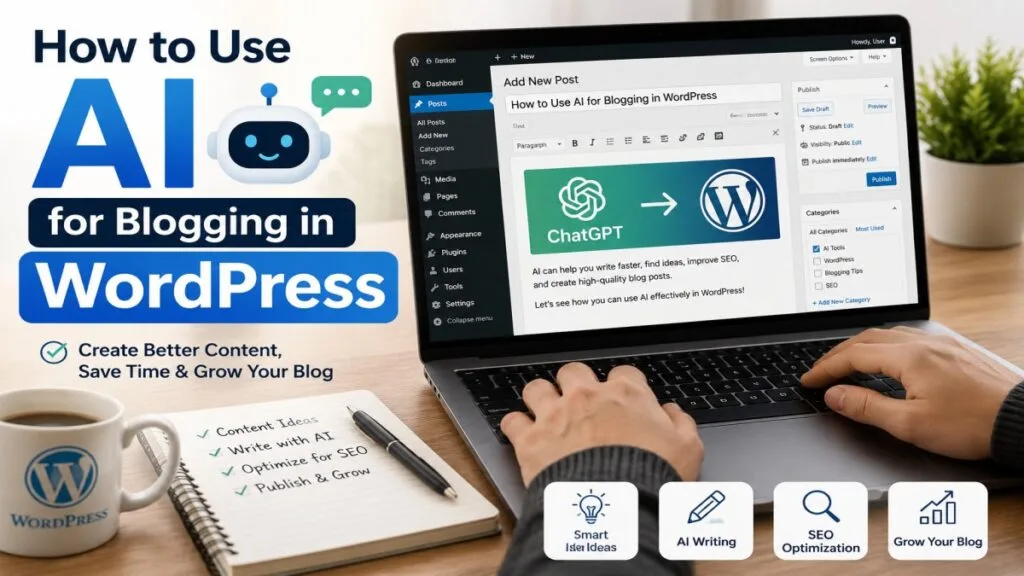
These days, using AI for blogging on WordPress is becoming a very popular topic among bloggers. Many content creators want to publish high-quality articles quickly using AI, without spending hours writing every day.
If you run a WordPress website, AI can help you create content ideas, write drafts, improve SEO, and save a lot of time. The best part is that you do not need advanced technical skills to start using AI.
Many beginners believe that AI can replace human writers completely. In reality, AI works best as a helpful assistant. It helps you work faster while you stay in control of your content.
In this guide, you will learn how to use AI for blogging in WordPress step by step. You will also discover the best tools, practical examples, SEO tips, common mistakes to avoid, and proven strategies that can help improve your blogging workflow.
At UseAiLearn, our goal is to help bloggers understand AI in a practical way. By the end of this article, you will have a clear understanding of how to use AI effectively while still creating content that feels helpful, trustworthy, and written for real people.
What Is How to Use AI for Blogging in WordPress?
Before I explain this process, it is important for you to understand what this concept means.
Using AI for blogging in WordPress means utilizing artificial intelligence tools to help create, enhance, manage, and optimize blog content on your WordPress website. Do you know What AI is?
AI tools can assist with many of your blogging tasks, such as:
- Finding content ideas
- Creating article outlines
- Writing first drafts
- Improving grammar
- Generating headlines
- Creating meta descriptions
- Optimizing content for SEO
- Research assistance
- Image generation
Instead of spending hours on a single article, we can complete multiple tasks quickly with the help of AI.
For example, a travel blogger can use ChatGPT to generate ideas for articles about popular destinations on their website. Afterward, the blogger can edit the content, add their personal experiences, and publish it on WordPress.
AI does not replace creativity. It simply helps bloggers become more productive.
Why Is AI Important?
The blogging industry has become more competitive than ever these days.
Every day, thousands of new articles are published online. Consequently, consistently creating high-quality content for your website can be challenging, especially for beginners.
This is where knowing how to use AI for blogging in WordPress becomes valuable.
Save Time
Writing a blog post from scratch can take us several hours.
But, AI can help create outlines, introductions, headings and draft content in just a few minutes.
Increase Productivity
Bloggers can publish more content without sacrificing quality.
Instead of spending all day writing, they can focus on research, editing, and promotion.
Improve Content Quality
Modern AI tools can identify grammar issues, readability problems, and content gaps.
This helps create content that is easier to read and understand.
Better SEO Performance
AI SEO for WordPress helps bloggers optimize content for search engines.
Many AI tools can suggest keywords, headings, meta descriptions, and content improvements.
Help Beginners Start Faster
Many new bloggers struggle with writer’s block.
AI can generate ideas and provide a starting point, making blogging much easier.
Main Benefits of Using AI for Blogging in WordPress
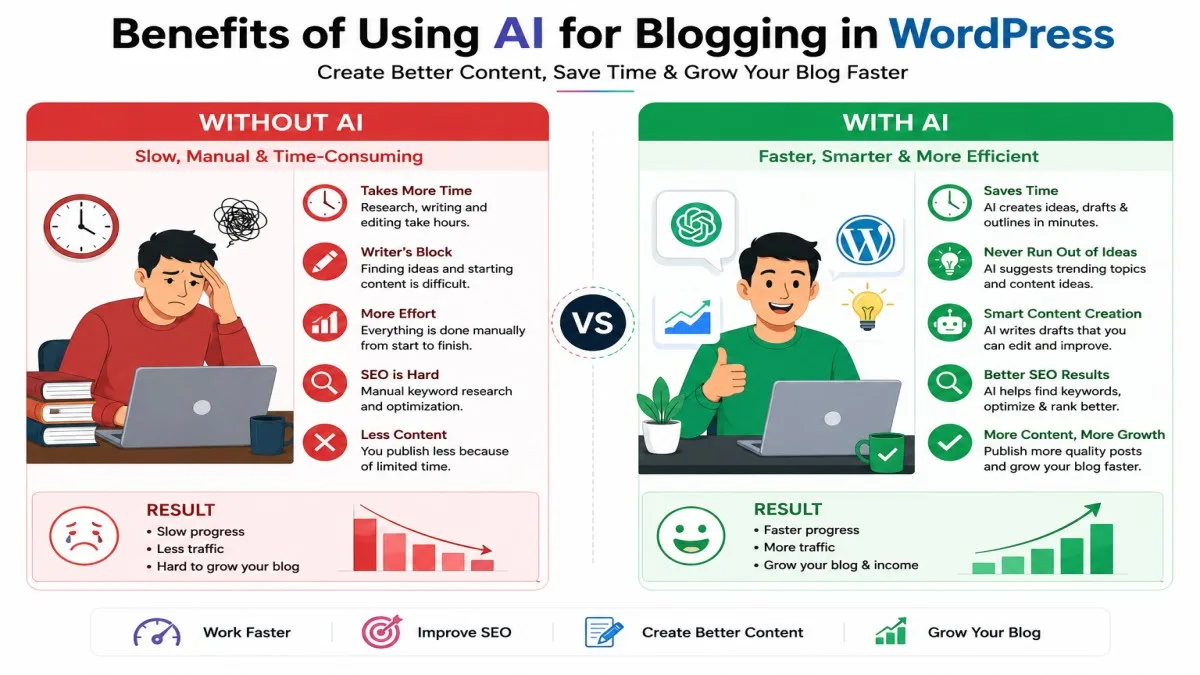
If you are a blogger, I believe that in today’s world, you should know how to use AI. There are several benefits for bloggers in using AI—such as:
Faster Content Creation
One of the biggest benefits of AI Content Creation for WordPress is speed.
Instead of staring at a blank page, you can generate a structured draft within minutes.
Better Content Ideas
Running out of topics is a common problem.
AI tools can suggest hundreds of article ideas based on your niche.
For example:
- AI tools for students
- AI tools for bloggers
- AI tools for business owners
- AI SEO strategies
These ideas can become future blog posts.
Improved SEO Optimization
AI SEO for WordPress helps identify important keywords and content opportunities.
Many AI tools analyze top-ranking pages and suggest ways to improve your article.
Consistent Publishing
Consistency is important for blogging success.
AI makes it easier to maintain a regular publishing schedule.
Easier Research
AI can summarize complex topics and provide organized information.
This helps bloggers understand subjects faster before writing.
Better Content Planning
AI can help create content calendars and topic clusters.
This is useful for long-term website growth.
Enhanced Editing
AI tools can improve sentence structure, readability, and grammar.
This helps create a better experience for readers.
Step-by-Step Guide: How to Use AI for Blogging in WordPress
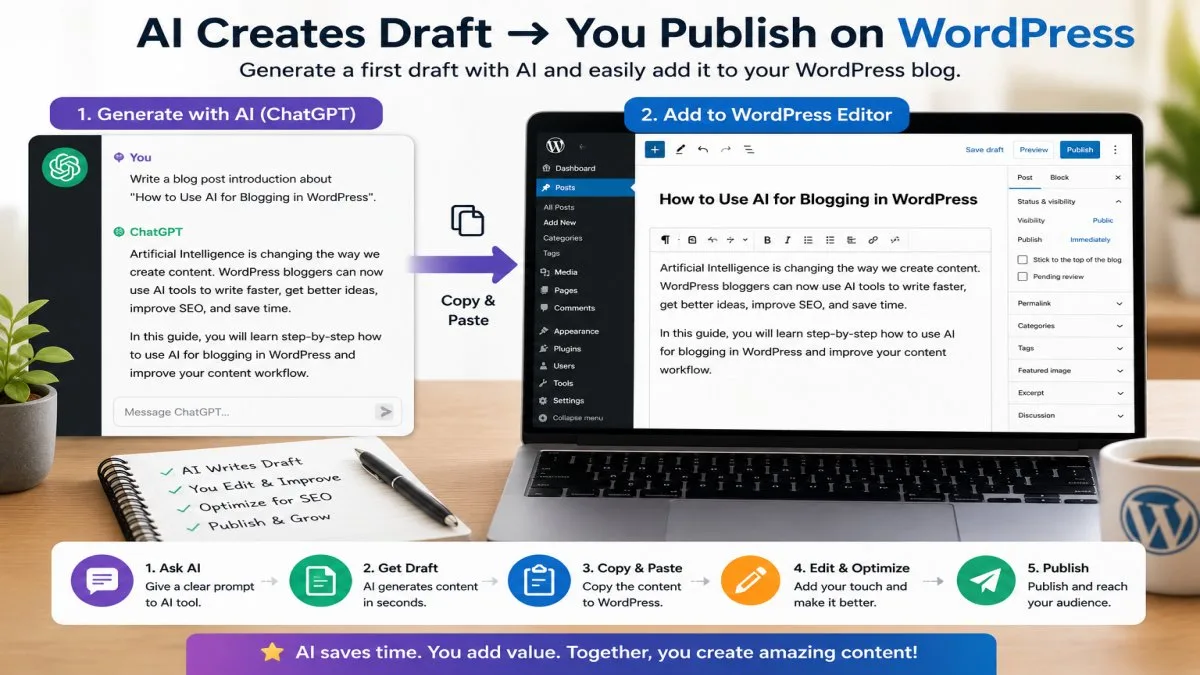
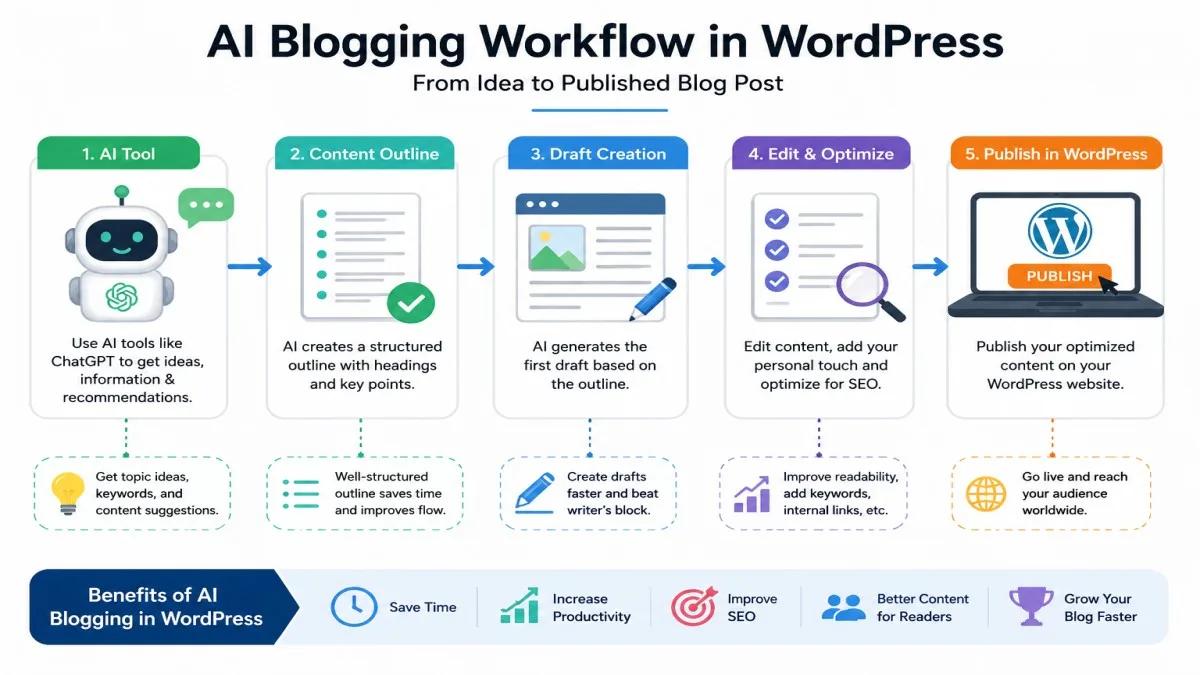
Now, let us look at the entire process step-by-step.
Step 1: Choose Your Blog Topic
Start by selecting a topic your audience wants to learn about.
You can ask AI questions such as:
- What are trending topics in AI?
- What questions do beginners ask about WordPress?
- What content ideas are popular in my niche?
AI can generate dozens of topic suggestions quickly.
Step 2: Create an Article Outline
A strong outline makes writing easier.
Example outline:
- Introduction
- Benefits
- Step-by-Step Process
- Examples
- FAQs
- Conclusion
AI can organize your ideas into a logical structure.
At UseAiLearn, we often use AI tools to brainstorm article ideas before writing the final content.
Step 3: Generate a First Draft
This is where ChatGPT for WordPress Blogging becomes extremely useful.
You can ask AI to write:
- Introductions
- Headings
- Explanations
- Examples
- FAQs
Remember that the draft should always be reviewed and edited by a human.
When I started using ChatGPT for my WordPress blog, creating article outlines became much faster.
Step 4: Add Your Personal Experience
This is one of the most important steps.
AI-generated content alone often feels generic.
Add:
- Personal opinions
- Real experiences
- Case studies
- Examples
- Lessons learned
This makes your content unique and trustworthy.
Step 5: Optimize for SEO
Use AI SEO for WordPress tools to improve your content.
Focus on:
- Keywords
- Headings
- Internal links
- Meta descriptions
- Readability
SEO optimization helps search engines understand your content better.
Step 6: Publish in WordPress
Copy your final content into WordPress.
Add:
- Images
- Featured image
- Categories
- Tags
- Internal links
Then preview everything before publishing.
Step 7: Update Content Regularly
AI can also help refresh older articles.
Updating content keeps your website relevant and useful for readers.
Best Practices for AI Blogging in WordPress
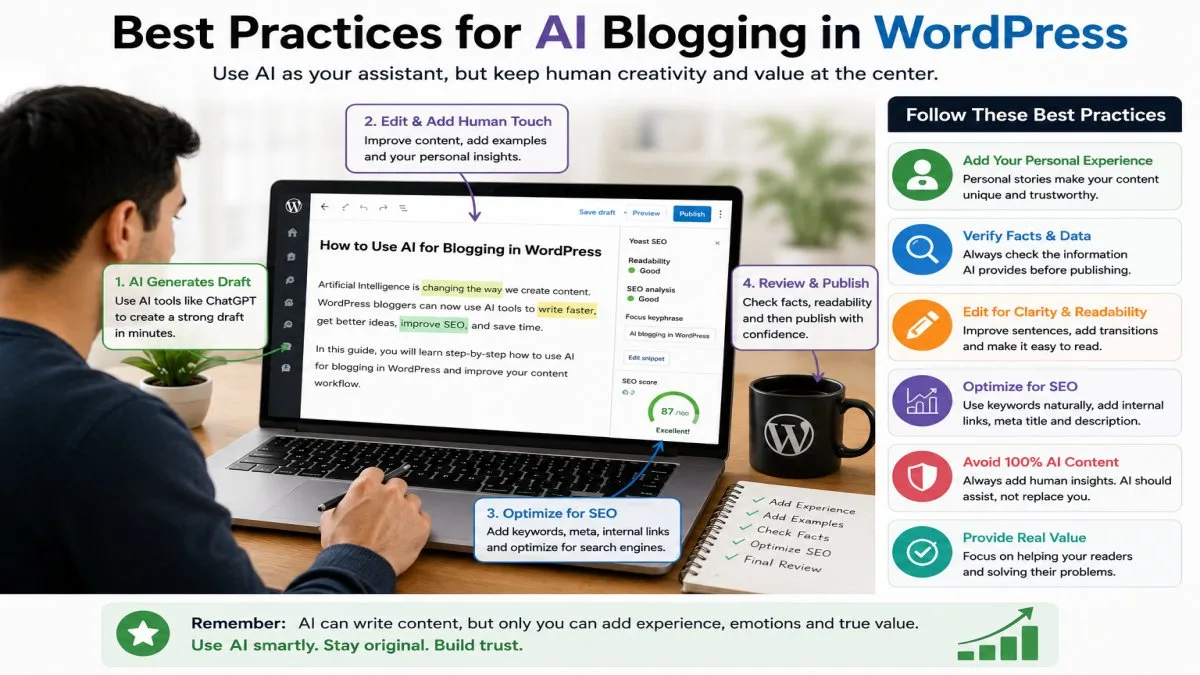
Learning How to Use AI for Blogging in WordPress is not only about using AI tools. It is also about using them correctly. Following best practices can help you create better content and build trust with your readers.
Always Edit AI-Generated Content
One of the biggest mistakes beginners make is publishing AI-generated content without reviewing it.
AI can make mistakes or provide information that is outdated or incomplete.
Always:
- Check facts
- Correct errors
- Improve readability
- Add your own insights
Think of AI as a writing assistant, not the final author.
Focus on Helping Readers
Google rewards content that genuinely helps users.
Before publishing, ask yourself:
- Does this content answer the reader’s question?
- Is the information easy to understand?
- Does it provide real value?
Useful content performs better than content written only for search engines.
Add Human Experience
Readers trust content that includes real experiences.
For example, if you use a specific AI tool, share:
- What you liked
- What problems you faced
- How it improved your workflow
This makes your article more authentic and trustworthy.
Use AI for Research, Not Just Writing
Many people only use AI to write content.
However, AI can also help with:
- Topic research
- Competitor analysis
- Keyword ideas
- Content planning
- Audience research
Using AI this way can improve the overall quality of your blog.
Keep Your Content Simple
Many readers are beginners. Therefore, avoid using complex language as much as possible. Simple content is often more effective because a larger number of people can understand it.
This becomes even more important when you are creating AI-generated content for WordPress tutorials.
Combine AI With SEO Tools
AI works even better when combined with SEO tools.
Popular combinations include:
- ChatGPT + Rank Math
- ChatGPT + Yoast SEO
- ChatGPT + Google Search Console
- ChatGPT + Keyword Research Tools
This approach helps improve both content quality and SEO performance.
Create Original Content
Never copy content from other websites.
Use AI to create unique ideas and drafts.
Then add your own perspective to make the article original.
This approach helps build authority and trust.
Common Mistakes to Avoid
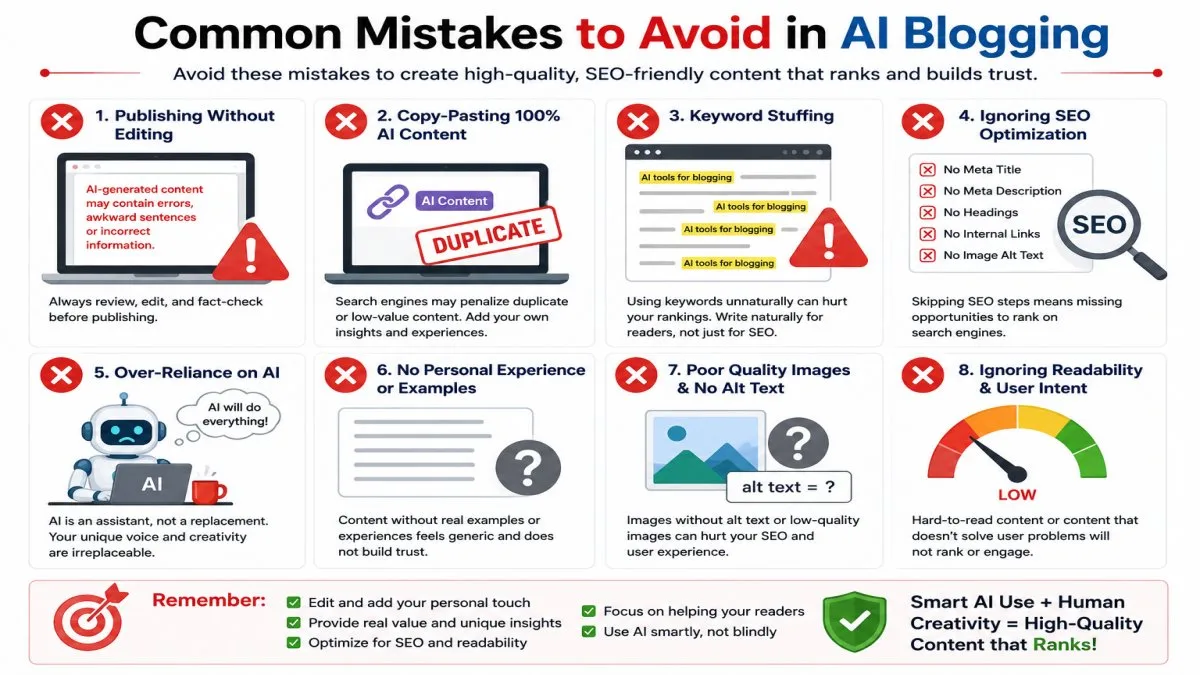
Many bloggers start using AI but fail to get good results because they make common mistakes.
Let’s look at some of them.
Publishing Without Editing
AI-generated content often needs improvement.
Publishing it without reviewing can hurt your credibility.
Always spend time editing before publishing.
Ignoring SEO
Some bloggers focus only on writing.
However, without proper SEO, people may never find your content.
AI SEO for WordPress should be part of your content strategy.
Using Too Many Keywords
Keywords are important, but overusing them can make content sound unnatural.
Use your keywords naturally within the article.
Good writing should always come first.
Trusting AI Blindly
AI can sometimes provide incorrect information.
Always verify important facts using trusted sources.
This is especially important when writing about technology, health, finance, or legal topics.
Creating Generic Content
Many AI-generated articles sound similar.
To stand out, add:
- Personal experiences
- Real examples
- Original opinions
- Practical tips
This helps create unique content.
Forgetting Reader Intent
Every article should solve a specific problem.
Ask yourself:
“What does the reader want to learn?”
Then focus on answering that question clearly.
Not Updating Old Articles
Blogging is not a one-time activity.
Content should be reviewed and updated regularly.
AI can help identify sections that need improvement.
Real-World Examples of Using AI for Blogging in WordPress
Let me explain this to you through real-life examples. Looking at real-life examples makes it easier to see how AI can fit into the way you handle your blogging work.
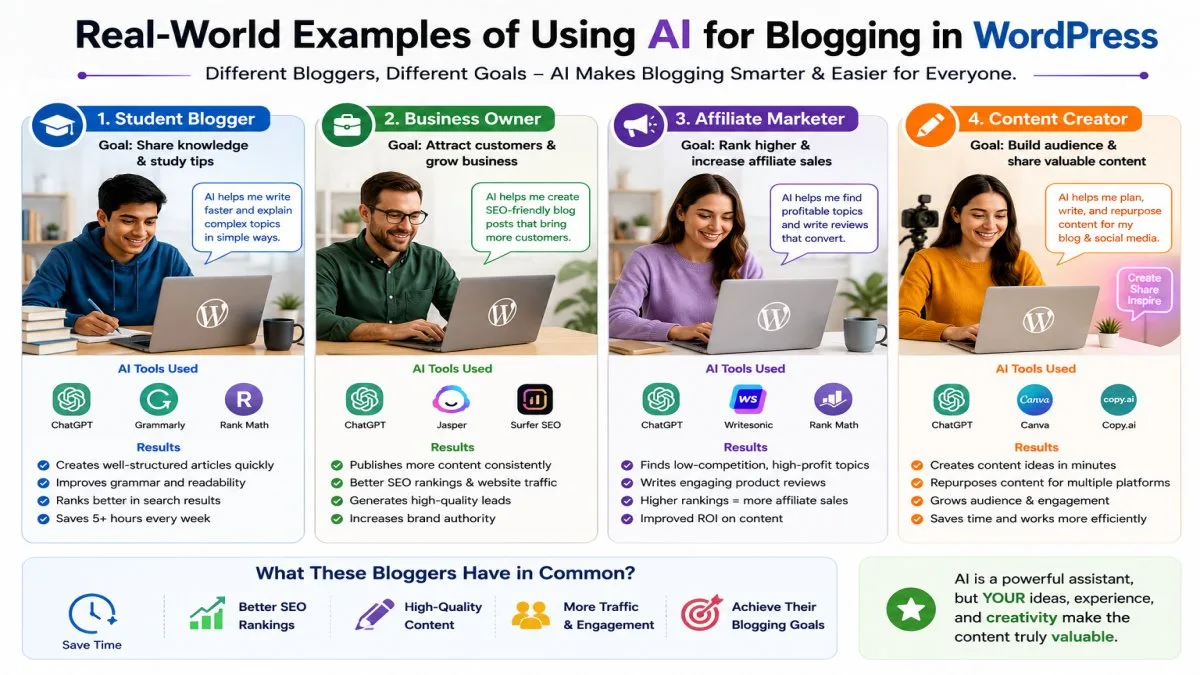
Example 1: Beginner Blogger
Sarah starts a new WordPress blog about online learning.
She uses ChatGPT for WordPress Blogging to generate:
- Topic ideas
- Article outlines
- Introduction drafts
After editing the content and adding her own experiences, she publishes the article.
This helps her create content faster while maintaining quality.
Example 2: Small Business Owner
John owns a digital marketing agency.
He needs regular blog content but has limited time.
Using AI Content Creation for WordPress, he creates:
- Weekly blog posts
- Service-related articles
- SEO content
His team reviews and improves the drafts before publishing.
This saves many hours every month.
Example 3: Student Blogger
Emma runs a study tips blog.
She uses AI to:
- Generate content ideas
- Summarize research
- Improve grammar
This allows her to balance blogging with her studies.
Example 4: UseAiLearn Content Strategy
A website like UseAiLearn can use AI to:
- Research trending AI topics
- Create educational outlines
- Generate beginner-friendly explanations
- Improve article structure
Human editors can then refine the content to ensure accuracy and quality.
This creates useful content while maintaining trust.
Example 5: Affiliate Blogger
An affiliate marketer writes product reviews.
AI helps:
- Compare features
- Organize information
- Create article structures
The blogger then adds real product testing experiences.
This combination creates stronger and more trustworthy reviews.
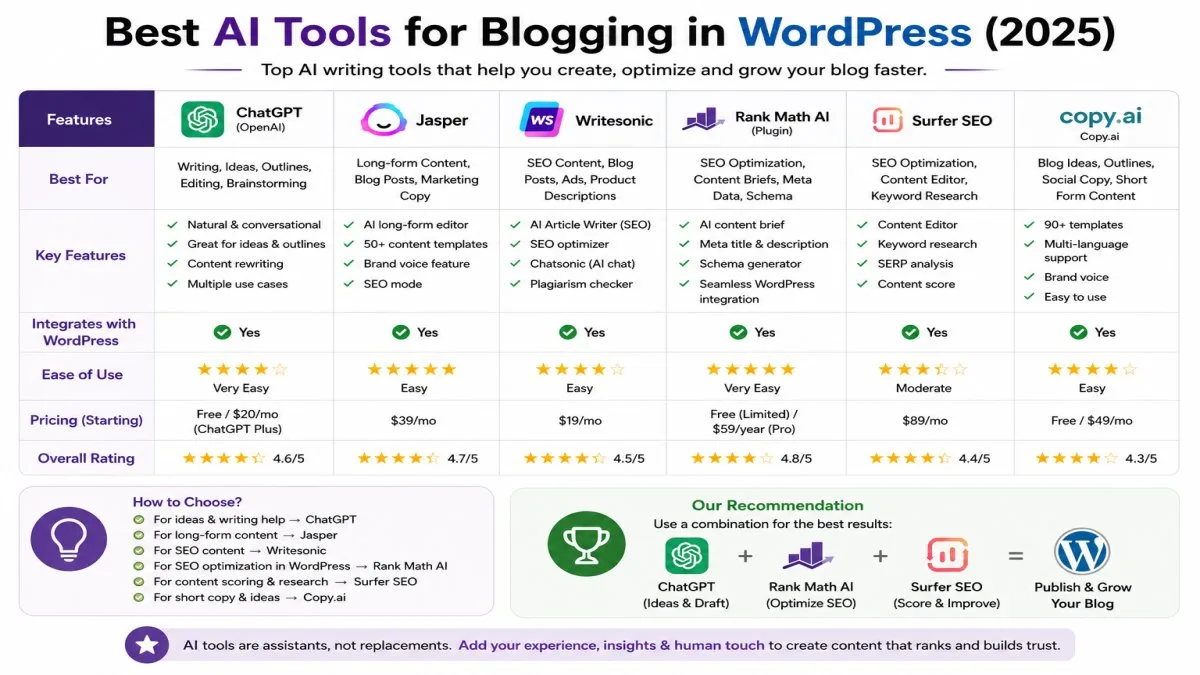
Best AI Tools for WordPress Bloggers
This is how I use these AI tools for my articles.
| Tool | Best For |
|---|---|
| ChatGPT | Writing Drafts |
| Gemini | Research |
| Grammarly | Editing |
| Rank Math | SEO |
| Jasper | Marketing Content |
Frequently Asked Questions (FAQs)
1. Can AI completely replace human bloggers?
No.
AI can help create drafts and generate ideas, but human creativity, experience, and judgment are still essential.
The best results come from combining AI with human expertise.
2. Is AI Blogging in WordPress safe?
Yes.
Using AI tools is generally safe when you review the content, verify facts, and follow search engine guidelines.
Always focus on creating helpful content for readers.
3. What is the best AI tool for WordPress bloggers?
There is no single best option for everyone.
Some of the Best AI Tools for WordPress Bloggers include:
- ChatGPT
- Claude
- Gemini
- Jasper
- Grammarly
The right choice depends on your goals and workflow.
4. Can AI improve WordPress SEO?
Yes.
AI SEO for WordPress can help with:
- Keyword research
- Content optimization
- Meta descriptions
- Heading suggestions
- Content structure
However, human review is still important.
5. Is AI content accepted by Google?
Google focuses on content quality rather than how it is created.
Helpful, accurate, and valuable content can perform well regardless of whether AI assisted in the writing process.
The key is creating content that benefits users.
My Final Thoughts
- Artificial intelligence is changing the way bloggers create content.
- Learning How to Use AI for Blogging in WordPress can help you save time, improve productivity, and create better content for your audience.
- However, successful blogging still requires human effort. AI should be used as a tool that supports your creativity, not replaces it.
- The most effective bloggers combine AI with their own knowledge, experiences, and unique perspectives.
- Whether you are a student, beginner blogger, content creator, or business owner, AI can make your blogging journey easier when used correctly.
- Start small, experiment with different tools, and focus on helping your readers.
- Over time, you will discover a workflow that allows you to create high-quality content more efficiently.
Conclusion
By now, you likely understand how to use AI for blogging on WordPress and how it can enhance your content creation process.
If you are a beginner, start by using ChatGPT to generate ideas and outlines. As you gain experience, combine AI with WordPress SEO tools like Rank Math and Google Search Console. The goal is not to let AI replace your creativity, but to help you create better content faster.
The most important thing now is to use AI responsibly. Always review your content, incorporate your personal insights, and prioritize the needs of your readers.
As AI technology continues to evolve, bloggers who learn to use these tools effectively will have a significant advantage.
If you want to learn more about AI Blogging in WordPress, ChatGPT for WordPress Blogging, AI Content Creation for WordPress, and the Best AI Tools for WordPress Bloggers, keep exploring helpful guides and tutorials on UseAiLearn.
In my view, the future of blogging isn’t just AI—it is a blend of AI with human creativity, expertise, and trust.