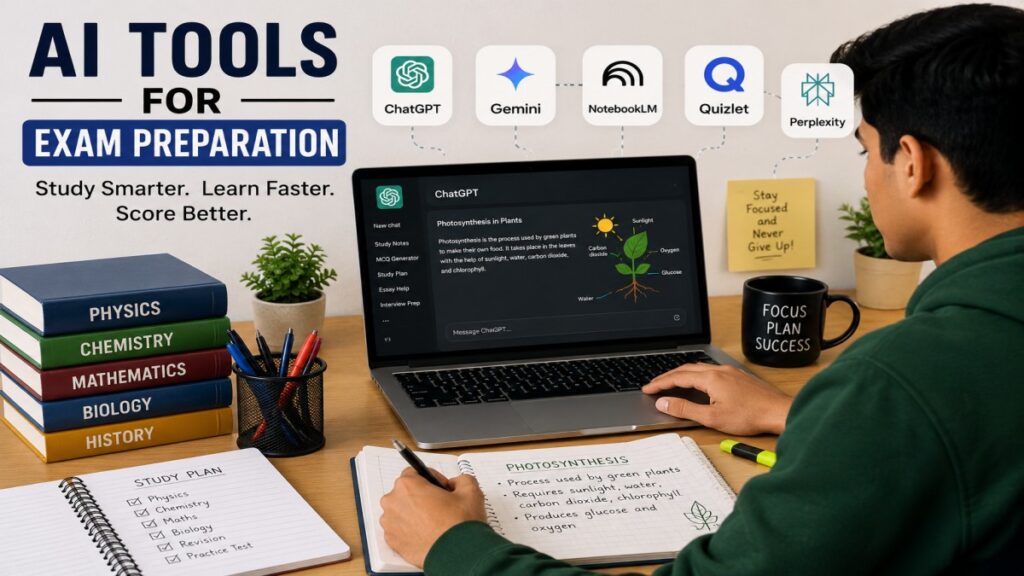
AI Tools for Exam Preparation are changing the way students study today. With the help of AI, students can learn faster, revise more effectively, and prepare for exams with less stress than ever before.
If you are a student, you probably know how much time it takes to find the right answers or read the same chapter again and again before an exam. Meanwhile, many students are already using AI to understand difficult topics, create study notes, generate quizzes, and organize their study schedules more efficiently.
However, many students still do not know how to use AI tools like ChatGPT, Gemini, NotebookLM, and Quizlet properly. They simply ask questions and accept the first answer they receive, but they do not use these tools to their full potential.
Every day, thousands of students search for the Best AI Tools for Students, Best AI for Exam Revision, Free AI Tools for Study, and practical AI Exam Preparation Tips because they want better results in less time.
Now, one important question comes to mind:
With so many AI tools available, which one should you choose, and how can you use it correctly for exam preparation? If you are asking the same question, you are in the right place.
In this complete guide from UseAiLearn, I will help you choose the right AI tool based on your study needs. You will learn about the Top 5 AI Tools, how each one works, their best features, and a step-by-step method to use them for effective exam preparation.
You will also get ready-to-copy AI prompts, real-life examples, and practical study techniques that will help you Study Smarter with AI.
What Are AI Tools for Exam Preparation?
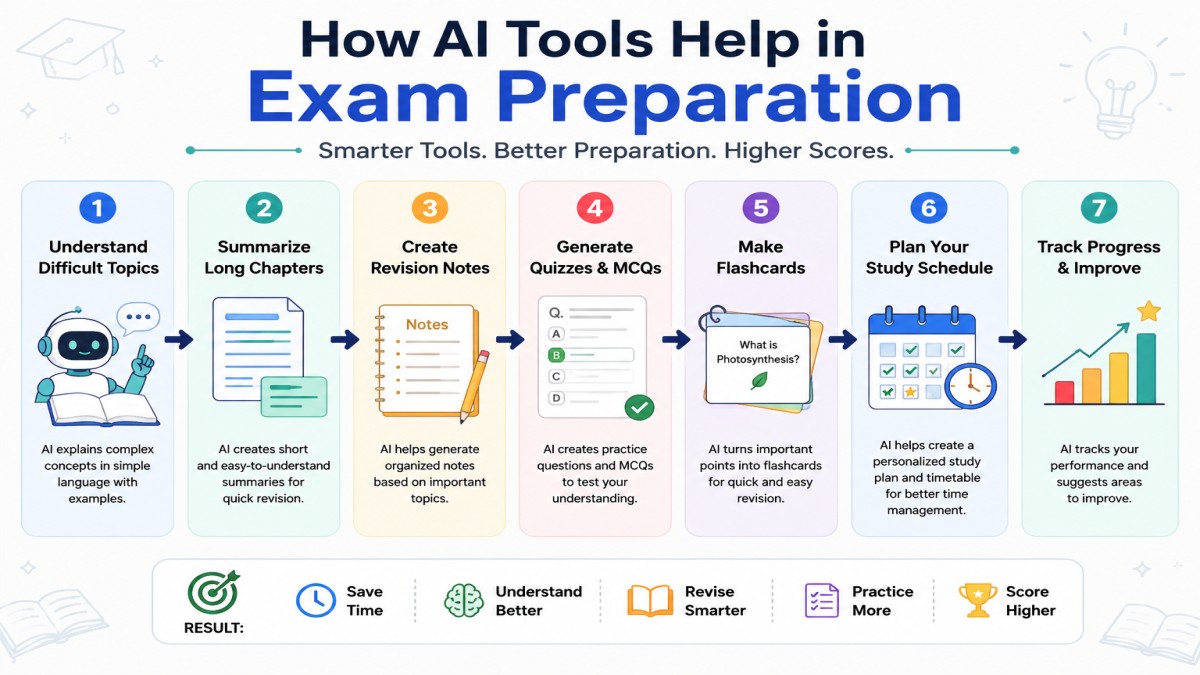
Let me explain it in simple words. AI Tools for Exam Preparation are smart tools or applications that help students study in an easier, faster, and more effective way.
These AI tools do much more than just search for information on the internet. They can explain difficult topics in simple language, summarize long chapters, create flashcards, generate quizzes and MCQs, answer your questions, and even build a personalized study plan based on your learning needs.
You can think of AI as your personal tutor who is available 24/7. Whenever you have a doubt or find a topic difficult to understand, you can ask AI for help and get a simple explanation within seconds.
Today, students use AI for many different study tasks, including:
- Understanding difficult chapters
- Creating short revision notes
- Generating MCQs and practice quizzes
- Making flashcards for quick revision
- Improving writing skills
- Creating a study timetable and study schedule
- Preparing for interviews and exams
Because of these benefits, AI has become one of the most useful learning tools in modern education. It helps students save time, study more efficiently, and prepare for exams with greater confidence.
Why Should Students Use AI for Exam Preparation?
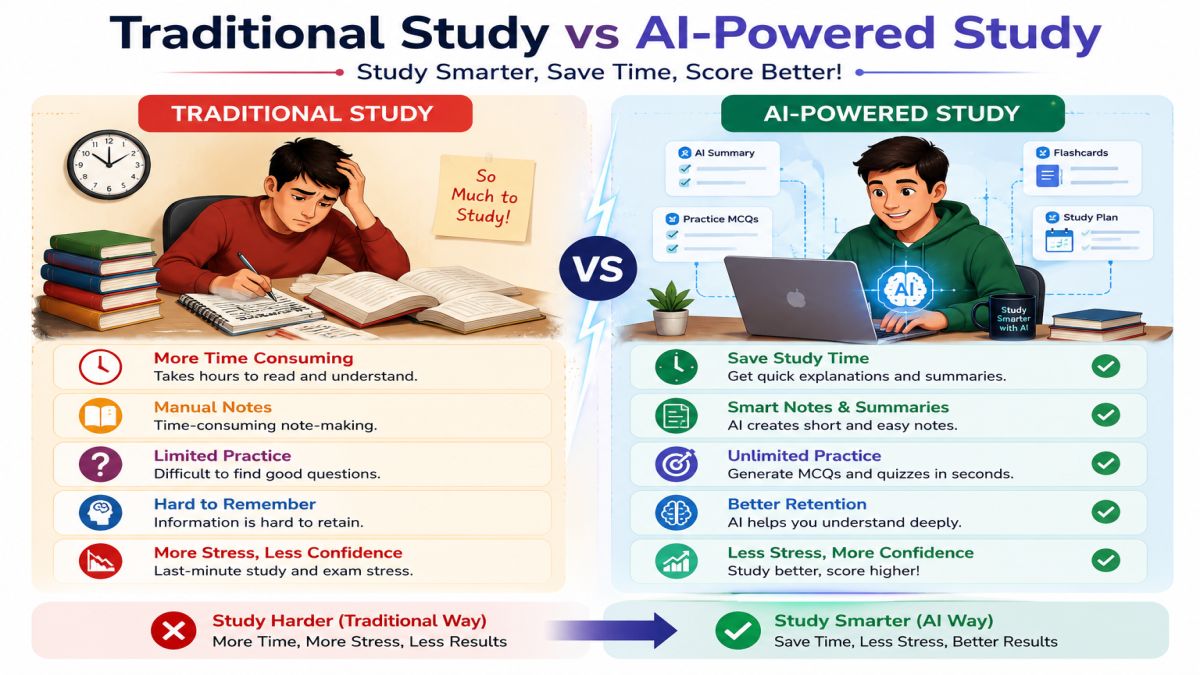
Let me tell you one thing. Traditional studying is still important, but AI can make your learning much easier and more effective.
For example, a chapter that may take you around three hours to read and understand can be summarized by AI in just a few minutes. Instead of searching different websites for information, AI can give you a simple and direct answer to almost any question. If you want to create flashcards, AI can generate them in just a few seconds instead of making them manually.
There are many benefits of using AI for exam preparation, such as:
- Saves your study time.
- Explains difficult topics in simple language.
- Creates a personalized revision plan based on your needs.
- Generates unlimited MCQs and practice questions.
- Helps you remember topics for a longer time.
- Boosts your confidence before exams
However, remember one thing.
The purpose of AI is not to study for you. Instead, it is designed to help you understand difficult topics, revise more effectively, and prepare for your exams in a smarter way.
Top 5 AI Tools for Exam Preparation
I have used many AI tools, but in this guide, I will share the top 5 AI tools that I found the most useful for exam preparation and studying. You can use these tools to learn faster, revise more effectively, and improve your overall study experience.
These AI tools are some of the best choices for beginners. Each tool has its own unique features and strengths. When you use them together in the right way, they can help you build a complete and effective study system for your exams.
1. ChatGPT – Best AI Tool for Understanding Difficult Topics
If you are looking for an AI tool that can explain almost any subject in simple English, ChatGPT is one of the best choices. It works like a personal tutor that is available 24/7. Whether you are studying Math, Science, History, English, or Computer Science, ChatGPT can explain topics in a way that matches your learning level.
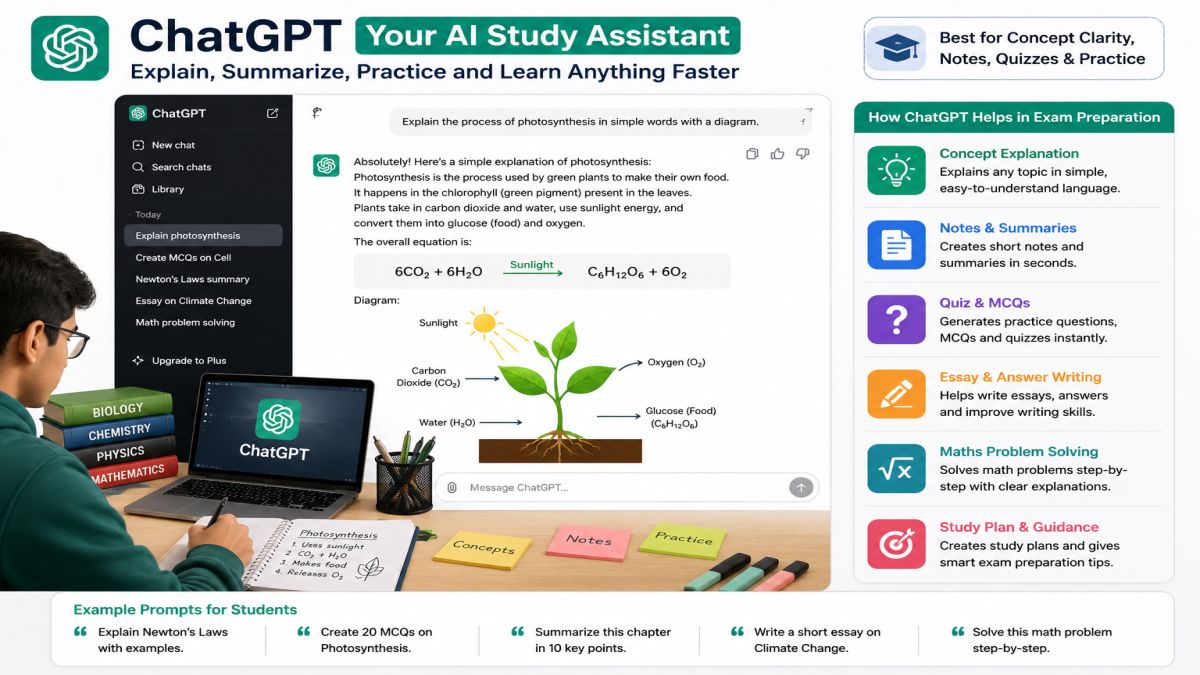
Many students consider ChatGPT one of the Best AI Tools for Students because it can answer questions, create quizzes, summarize notes, and even build study plans.
Best For
- Learning difficult concepts
- Solving homework doubts
- Creating revision notes
- Generating MCQs
- Making study plans
- Practicing interview questions
Free or Paid?
- ✅ Free plan available
- ✅ Paid plan with extra features
Step-by-Step: How to Use ChatGPT for Exam Preparation
Step 1: Open ChatGPT
Go to the ChatGPT website or mobile app and sign in.
Step 2: Ask a Clear Question
Instead of writing:
“Explain Biology”
Write something like:
“Explain Photosynthesis in simple English with real-life examples for a Class 10 student.”
The more specific your question is, the better the answer will be.
Step 3: Ask for Short Notes
After understanding the topic, type:
“Create short revision notes in bullet points.
Within seconds, ChatGPT will prepare easy notes that you can revise before the exam.
Step 4: Generate Practice Questions
Now ask:
“Create 25 MCQs with answers from this chapter.”
This helps you check how much you have learned.
Step 5: Test Yourself
Next prompt:
“Ask me one question at a time like a teacher. Do not show the answer until I reply.”
This creates an interactive learning session.
Step 6: Revise Weak Topics
If you answer incorrectly, ask:
“Explain why my answer is wrong and teach me the correct concept.”
This method improves understanding much faster than simply reading notes.
Best ChatGPT Prompts for Students
Prompts:
- Explain Chapter 5 in simple English with examples.
- Create one-page revision notes.
- Generate 30 MCQs with answers.
- Give me five important exam questions.
- Create a 7-day study plan for this subject.
Pros
- Easy for beginners
- Supports almost every subject
- Excellent explanations
- Creates quizzes and notes instantly
- Saves a lot of study time
Cons
- Always verify important facts with your textbook.
- Avoid copying answers without understanding them.
2. Google Gemini – Best AI for Research and PDF Learning
Google Gemini is another powerful AI study assistant. It is especially useful when you want to research a topic, understand current information, or work with documents.
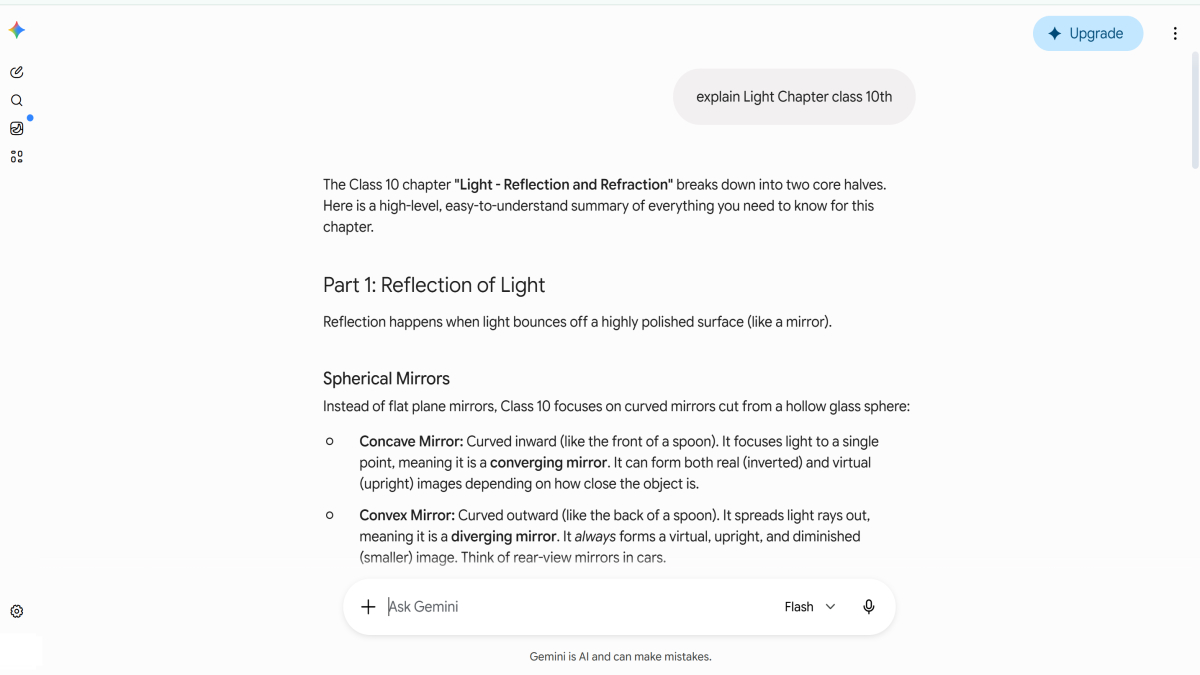
Students preparing for projects, assignments, and competitive exams often use Gemini because it provides detailed explanations and works well with Google services.
Best For
- Research
- Understanding PDFs
- Finding study resources
- Comparing information
- Writing assignments
Free or Paid?
- ✅ Free version available
- ✅ Advanced version with premium features
Step-by-Step: How to Use Google Gemini
Step 1: Open Gemini
Sign in with your Google account.
Step 2: Upload Your Study Material
If your teacher gives you PDF notes, upload them to Gemini.
Step 3: Ask Questions
For example:
“Explain Chapter 8 in simple English.”
or
“What are the five most important questions from this chapter?”
Step 4: Create a Summary
Next, ask:
“Summarize this chapter in one page.”
Now you have quick revision notes.
Step 5: Create Exam Questions
Prompt:
“Create 20 multiple-choice questions from this PDF.”
Now you can practice before your exam.
Why Students Like Gemini
- Easy to use
- Good research abilities
- Reads PDF files
- Creates summaries quickly
- Works well with Google ecosystem
If you are searching for the Best AI for Exam Revision, Gemini is a great option for understanding long chapters in less time.
3. NotebookLM – Best AI Revision Tool for Students
NotebookLM is becoming one of the most popular AI study tools because it helps students learn directly from their own notes.
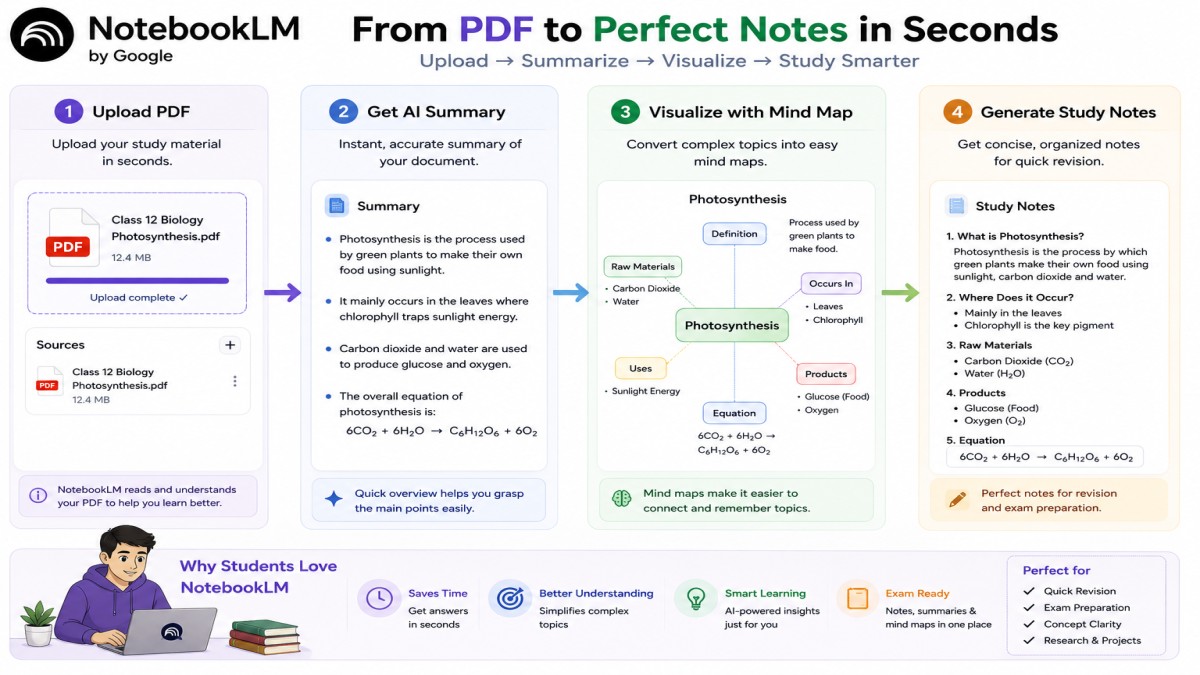
Instead of searching the internet, NotebookLM answers questions using the documents that you upload.
That is why many students call it the best ai revision tool.
Best For
- Revision
- PDF notes
- Lecture notes
- Research papers
- Personalized learning
Free or Paid?
- ✅ Free version available
Step-by-Step: How to Use NotebookLM
Step I: Upload Your Notes
Upload:
- Word documents
- Lecture notes
- Google Docs
Step II: Let AI Read Everything
NotebookLM understands all your uploaded documents.
Step III: Ask Questions
Example:
“Explain Chapter 4 using only my uploaded notes.”
Step IV: Generate Study Guide
Ask:
“Create a complete study guide for tomorrow’s exam.”
Step V: Create FAQs
Prompt:
“Generate the 30 most important exam questions.”
Step VI: Create Revision Notes
Prompt:
“Make short revision notes in bullet points.”
Step VII: Final Revision
Now read only those notes before your exam instead of reading the entire textbook again.
This workflow makes NotebookLM an excellent ai revision tool for students, especially when exams are only a few days away.
Why NotebookLM Is Different
Unlike many AI tools, it focuses on your own study materials. This reduces confusion and helps you revise exactly what your teacher has covered.
4. Quizlet AI – Best AI Tool for Flashcards and Self-Testing
If you are a student, I would like to give you one piece of advice. Reading the same notes again and again is not always the best way to remember information. One of the easiest and most effective ways to remember a topic for a longer time is to test yourself regularly. This is where Quizlet AI can help you.
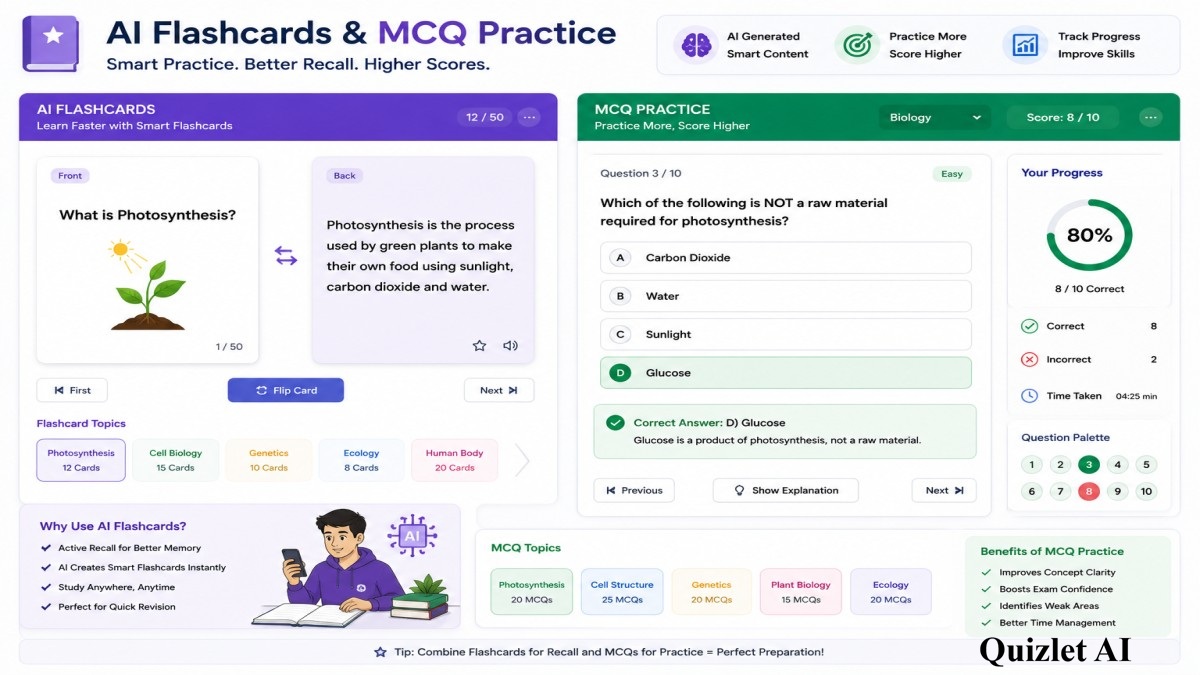
Quizlet AI automatically creates flashcards, quizzes, and practice tests from your study material. In the past, creating flashcards by hand could take hours. Now, with the help of AI, you can create them in just a few seconds and spend more time learning instead of preparing study materials.
This is one reason why many students consider Quizlet one of the Best AI Tools for Students and one of the best ai tools to revise before exams.
Best For
- Flashcards
- Vocabulary learning
- Quick revision
- Self-testing
- Memorizing definitions and formulas
Free or Paid?
- ✅ Free plan available
- ✅ Premium features for advanced learning
Step-by-Step: How to Use Quizlet AI for Exam Preparation
Step 1: Create a Free Account
Sign up on Quizlet using your email or Google account.
Step 2: Upload Your Notes
You can:
- Paste your notes
- Upload study material
- Add important questions manually
Quizlet AI will automatically organize the content.
Step 3: Generate Flashcards
Click the AI Flashcards option.
Within seconds, Quizlet creates flashcards from your notes.
For example:
Front
“What is Photosynthesis?”
Back
Photosynthesis is the process where green plants make food using sunlight, water, and carbon dioxide.
Step 4: Practice Every Day
Use different learning modes such as:
- Flashcards
- Learn Mode
- Practice Test
- Match Game
Studying for just 15–20 minutes daily can improve memory much more than reading long chapters repeatedly.
Step 5: Test Your Weak Areas
Quizlet tracks the questions you answer incorrectly.
Spend more time practicing these topics until you become confident.
Best Prompt (When Creating Notes First)
If you are using ChatGPT before Quizlet, you can use this prompt:
“Create 30 short flashcards from this chapter using simple English.”
Then copy those flashcards into Quizlet for daily practice.
Pros
- Excellent for memorization
- Makes revision fun
- Tracks learning progress
- Easy for beginners
- Great for daily practice
Cons
- Better for factual subjects than long descriptive answers.
- Some advanced features require a paid plan.
5. Perplexity AI – Best AI Tool for Accurate Research
If you, too, sometimes need more than just a simple answer, I would recommend using Perplexity AI.
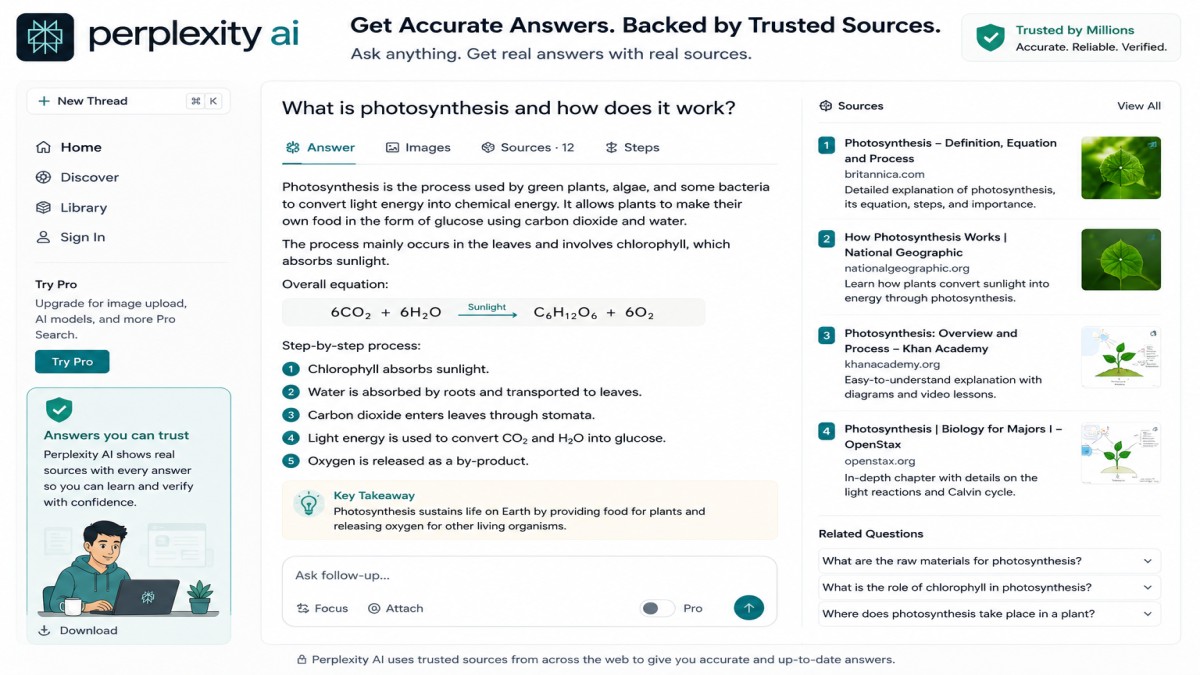
They want reliable information with sources.
This is where Perplexity AI is different.
Unlike many AI chatbots, Perplexity usually shows the sources used in its answers. This makes it useful for research projects, assignments, presentations, and competitive exams.
Best For
- Research
- Current information
- Fact-checking
- Assignments
- Project work
Free or Paid?
- ✅ Free version available
- ✅ Pro version with advanced AI models
Step-by-Step: How to Use Perplexity AI
Step 1: Open Perplexity AI
Create a free account.
Step 2: Ask a Specific Question
Instead of writing:
“Tell me about climate change.”
Write:
“Explain the causes of climate change in simple English with examples and trusted sources.”
Specific questions produce better answers.
Step 3: Read the Sources
One of Perplexity’s biggest advantages is that it usually provides links to the information it used.
Compare those sources with your textbook whenever possible.
Step 4: Simplify Difficult Topics
Prompt:
“Explain this topic like I am a beginner.”
Now even complex concepts become easy to understand.
Step 5: Create Exam Questions
Prompt:
“Generate 20 important questions from this topic.”
Now you have another revision set ready.
Pros
- Fast answers
- Source-based information
- Great for research
- Beginner-friendly
- Helps verify facts
Cons
- Always compare important information with your official study material.
- Research answers can sometimes be more detailed than beginners need.
Step-by-Step AI Exam Preparation Workflow
Many students ask:
“Should I use only one AI tool?”
The answer is No.
The smartest approach is to combine different AI tools because each tool has its own strength.
Here is a simple workflow you can follow.
Step 1 – Learn the Topic with ChatGPT
Ask ChatGPT to explain difficult chapters in simple English.
Understand the concept before moving to revision.
Step 2 – Research with Google Gemini
If you need additional explanations, examples, or PDF summaries, use Gemini.
This helps you gain a deeper understanding.
Step 3 – Create Revision Notes with NotebookLM
Upload your class notes.
Generate:
- Summary
- Study Guide
- Important Questions
- FAQs
This is one of the easiest ways to prepare for exams.
Step 4 – Memorize with Quizlet AI
Turn your notes into flashcards.
Practice every day until you remember all important concepts.
Step 5 – Verify Information with Perplexity AI
Before your exam, use Perplexity AI to check important facts and understand topics from trusted sources.
10 Ready-to-Copy AI Prompts for Students
I am providing some prompts that you can copy and use directly.
Prompts:
- Explain this chapter in simple English with real-life examples.
- Create one-page revision notes.
- Generate 30 MCQs with answers.
- Create a 7-day study timetable for this subject.
- Ask me questions one by one like a teacher.
- Explain why my answer is wrong.
- Create flashcards from these notes.
- Give me the five most important exam questions.
- Summarize this PDF in bullet points.
- Teach me this topic as if I am learning it for the first time.
Common Mistakes to Avoid When Using AI for Exam Preparation
AI can be a great study partner, but many students do not use it the right way. If you want to get the best results from AI, make sure to avoid these common mistakes.
1. Copying AI Answers Without Understanding
Many students copy AI-generated answers directly into their notes or homework.
This may save time, but it does not improve your knowledge. Always read the answer carefully and make sure you understand the concept before writing it in your own words.
2. Using Only One AI Tool for Everything
Every AI tool has different strengths.
For example, ChatGPT is great for explanations, NotebookLM is useful for revision, Quizlet AI helps with flashcards, and Perplexity AI is good for research.
Using the right tool for the right task will make your study sessions much more effective.
3. Believing Every AI Answer
AI is smart, but it can sometimes make mistakes.
Always compare important facts, formulas, dates, and definitions with your textbook or your teacher’s notes. This simple habit can help you avoid errors in your exam.
4. Studying Only with AI
AI should support your learning, not replace it.
You should still read your textbooks, attend classes, solve practice papers, and write answers by yourself. These activities help you understand topics more deeply.
5. Not Practicing Before the Exam
Reading AI explanations is not enough.
After learning a topic, always practice MCQs, solve previous year questions, and take mock tests. Practice helps you remember information and builds confidence for the real exam.
Frequently Asked Questions (FAQs)
1. Which is the best AI tool for exam preparation?
There is no single AI tool that is perfect for every student. ChatGPT is great for learning concepts, NotebookLM is excellent for revision, Quizlet AI helps with flashcards, Google Gemini is useful for research, and Perplexity AI is good for finding accurate information with sources.
2. Can I use free AI tools for study?
Yes. Many Free AI Tools for Study offer useful features without any cost. You can use free versions of ChatGPT, Google Gemini, NotebookLM, Quizlet AI, and Perplexity AI for daily learning and revision.
3. Can AI help me score better in exams?
AI can help you understand difficult topics, create revision notes, generate practice questions, and manage your study time. However, your final results depend on your own practice, consistency, and hard work.
4. Is it safe for students to use AI?
Yes, AI is safe when you use trusted platforms and protect your personal information. You should also avoid sharing sensitive details and always verify important academic information before using it.
5. How often should I use AI while studying?
You do not need to use AI all day. Even 30 to 60 minutes of focused learning with AI can make your study sessions more productive. The key is to use AI regularly and combine it with textbook reading and practice.
My Final Thoughts

Using AI Tools for Exam Preparation is one of the smartest ways to improve your study routine in 2026. AI can help you understand difficult concepts, create revision notes, generate quizzes, and save valuable study time. However, the best results come when you use AI as a learning assistant—not as a shortcut.
If you are a beginner, start with ChatGPT to understand topics, use Google Gemini for research, organize your notes with NotebookLM, practice daily with Quizlet AI, and verify important information using Perplexity AI. Together, these tools create a complete study system that helps you Study Smarter with AI.
Whether you are searching for the Best AI for Exam Revision, looking for Free AI Tools for Study, or exploring the Best AI Tools for Students, remember that AI works best when combined with consistent practice, textbook learning, and regular self-testing.
At UseAiLearn, our goal is to help beginners use AI in a simple and practical way. Start with one tool today, follow the step-by-step methods shared in this guide, and make AI your trusted study partner for better exam preparation.